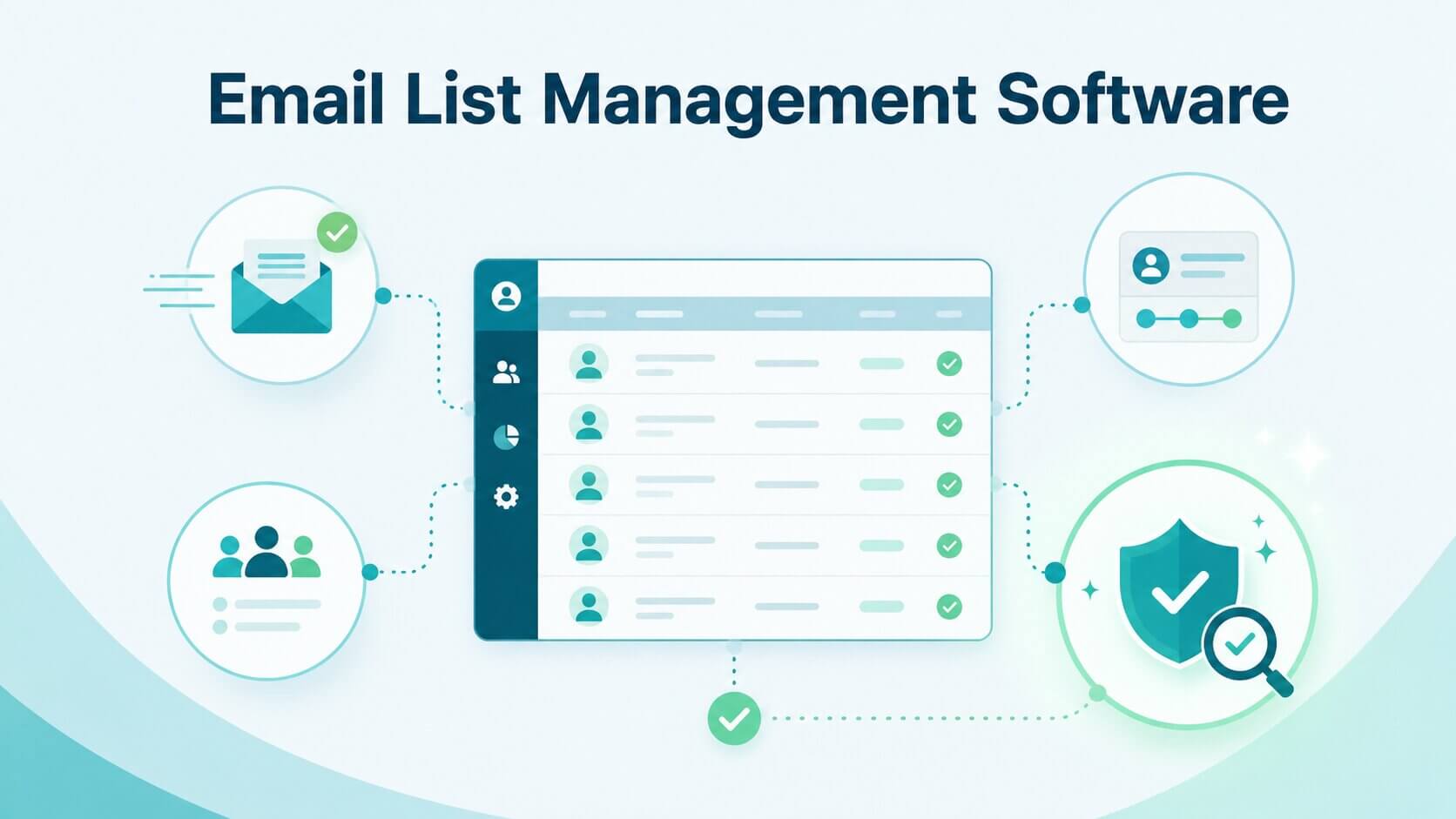
Most teams searching for email list management software are not simply looking for another marketing tool. They are usually trying to solve a more operational problem: how to keep a growing database accurate, segmented, compliant, and usable as it scales across multiple systems. What works at a few thousand contacts often starts to break once data flows across CRM, email platforms, enrichment tools, and outbound sequences.
This guide focuses on how to choose the right software for that reality. We will break down what “list management” actually includes, the different categories of tools, which features matter most, and where general-purpose platforms fall short. We will also show where a specialist hygiene layer becomes necessary, especially for B2B teams working with large or complex datasets. The goal is not just to help you pick software, but to help you avoid building a system that quietly degrades your data quality over time.
TL;DR: Most organizations mistakenly treat email list management as a passive storage function, failing to account for the reality that B2B databases decay at an average rate of 22.5% annually. While all-in-one ESPs and CRMs provide the essential infrastructure for campaign execution and relationship tracking, they are fundamentally reactive and often lack the sophisticated hygiene layers required to resolve complex enterprise hurdles like catch-all domains. Relying solely on these systems leads to a "silent degradation" of data, where toxic records accumulate and trigger reputation damage long before you notice a bounce. To scale a modern revenue engine without destroying deliverability, teams must transition from a single-tool mindset to a specialized stack that integrates a proactive verification layer like Allegrow, ensuring that high-risk contacts are intercepted at the point of capture rather than after your domain trust has already been penalized.
What is email list management software?
Email list management software refers to the set of tools used to organize, maintain, segment, clean, and control email contact data over time. At a surface level, many people associate it with sending campaigns or storing subscribers, but in practice, it is more about maintaining the integrity of the underlying database.
A proper list management system handles multiple layers of work. It ensures contacts are correctly segmented, duplicates are removed, unsubscribes are respected, and engagement data is tracked in a structured way. In more advanced setups, it also includes enrichment, lifecycle tracking, and ongoing monitoring of list health. Research from industry sources consistently shows that poor list quality is one of the main drivers of declining email performance as programs scale.
However, not all email platforms treat list management as a core capability. Many ESPs are optimized for campaign execution rather than long-term data governance, which creates gaps once teams move beyond simple newsletter use cases. This matters because the underlying data is always decaying: industry research consistently shows that B2B email databases lose approximately 22.5% of their valid contacts per year — roughly 2.1% every month — as people change roles, companies restructure, and domains are retired.
Do you need one platform or a stack?
At an early stage, many teams can operate effectively within a single all-in-one platform. These tools combine sending, basic segmentation, and subscriber management in one system, which reduces operational complexity. For smaller databases or less complex workflows, this can be sufficient.
As complexity increases, however, teams often shift toward a stack-based approach. In this model, different systems handle different parts of the lifecycle: a CRM for relationship and pipeline data, an ESP for sending, and a separate layer for data hygiene and verification. This separation usually emerges not from preference, but from necessity, as no single platform handles all aspects of list management equally well at scale.
What are the main types of email list management software?
Understanding email list management software starts with recognizing that it is not a single, unified category. Instead, it is made up of different types of tools that each handle a specific part of the contact lifecycle, from storing and segmenting data to cleaning and validating it before use. Treating all tools as interchangeable often leads to gaps in how data is managed over time.
Most issues arise when teams expect one platform to handle everything equally well. In reality, different categories are optimized for different jobs, and combining them is often necessary to build a system that stays reliable as the database grows. The sections below break down these categories and explain where each one fits.
All-in-one ESP and marketing automation platforms
All-in-one email service providers (ESPs) and marketing automation platforms are designed to centralize campaign creation, contact storage, segmentation, and automation workflows. They are designed for ease of use and are often the starting point for SMB teams.
These platforms perform well when the primary need is sending emails and managing straightforward segments. They typically include tagging, basic behavioral segmentation, and automated workflows. However, they tend to fall short when it comes to deep list hygiene, especially around invalid contacts, catch-all domains, and risk detection. As a result, list degradation often happens silently over time, especially when data is coming from multiple sources.
CRM-led list management tools
CRM systems take a different approach by tying contact data directly to accounts, opportunities, and revenue workflows. Instead of focusing on campaigns, they focus on relationships, lifecycle stages, and pipeline progression. This makes them particularly important for RevOps and sales-led organizations.
In a CRM-led setup, list management becomes part of a broader revenue system. Contacts are not just subscribers; they are tied to deals, accounts, and engagement history. This provides strong visibility into who is in the pipeline and how they interact with the business over time.
However, CRMs are not designed to solve email-specific data quality issues. They typically rely on upstream systems for validation and cleanup, which means they often accumulate outdated, incomplete, or risky email records unless a separate hygiene layer is introduced. According to Gartner research, poor data quality costs organizations an average of $12.9 million per year — a figure that reflects not just bad campaigns, but the compounding operational cost of decisions made on inaccurate contact data across the entire revenue system.
Email verification and list hygiene tools
Email verification and list hygiene tools exist specifically to address the weaknesses of ESPs and CRMs when it comes to data quality. Their focus is not on sending emails or managing pipelines, but on ensuring that the underlying contact data is safe and usable before it is activated.
These tools typically validate whether an email address is valid, detect invalid or risky domains, identify spam traps, and flag disposable or unmonitored inboxes. In more advanced systems, they also evaluate catch-all domains, which are particularly common in B2B environments and often create ambiguity in traditional validation systems.
This category becomes increasingly important as databases scale or when teams rely on third-party data sources. Without it, even well-structured CRM or ESP workflows can be undermined by poor-quality inputs.
Lead capture and signup tools
Lead capture tools are responsible for bringing new contacts into the system. These include website forms, popups, landing pages, and gated content workflows. Their role is primarily acquisition rather than management.
While they are essential for list growth, they do not solve downstream problems such as segmentation accuracy or data hygiene. In fact, without proper validation and cleanup processes, lead capture tools can accelerate the accumulation of low-quality or incomplete data. This is why lead capture is usually paired with both an ESP and a hygiene layer, rather than treated as a standalone solution.
What features matter most in email list management software?
Choosing email list management software requires focusing less on surface-level feature lists and more on how the system behaves as your data evolves. Many tools look similar at first, but the real difference shows in how well they maintain data structure, accuracy, and usability over time, especially as contacts are added, updated, and synced across systems.
The key question is not what the software can do on day one, but how effectively it handles ongoing complexity. This includes how it manages segmentation updates, suppression logic, and data quality as the database grows. The most valuable features are the ones that reduce manual intervention and prevent data from degrading, rather than simply adding more ways to manage it.
Segmentation and dynamic audience updates
Strong segmentation is the foundation of effective list management. It allows teams to group contacts based on behavior, attributes, lifecycle stage, and engagement patterns. Modern systems go beyond static lists by using dynamic segmentation that automatically updates as contact data changes.
At scale, static lists become one of the biggest operational risks. They quickly become outdated, leading to irrelevant targeting and inefficient campaigns. Dynamic segmentation reduces this risk by ensuring that audience definitions remain consistent without manual intervention.
Cleanup and suppression automation
List cleanup ensures that invalid, inactive, or unwanted contacts are continuously removed or suppressed from active campaigns. This includes managing bounces, processing unsubscribe requests, removing duplicates, and handling inactive contacts.
This layer is not just operational hygiene; it directly impacts deliverability. Large providers like Gmail explicitly factor user engagement and complaint rates into filtering decisions, meaning that poor suppression handling can degrade inbox placement over time.
At scale, automation becomes critical because manual list cleaning cannot keep up with the volume and frequency of modern email programs.
Verification and risky-contact detection
Verification tools go beyond checking whether an email exists. They assess whether an address is likely to be safe, active, and worth sending to. This includes detecting invalid formats, disposable domains, spam traps, and risky or unmonitored inboxes.
In B2B environments, this becomes more complex due to catch-all domains and secure email gateways. These systems often accept all emails without confirming individual mailbox validity, which creates uncertainty that basic verification tools cannot resolve. As a result, teams often require more advanced systems that return clear outcomes rather than “unknown” classifications.
Reporting and list-health visibility
List health reporting provides visibility into how the database is performing over time. This includes metrics such as bounce rates, complaint rates, engagement trends, and inactivity levels across segments.
Without this layer, teams are essentially operating blind. They may know whether individual campaigns perform well, but they cannot see whether the underlying database is improving or deteriorating. This makes it difficult to diagnose systemic issues early. Effective list management software should make data health visible at both the campaign and contact level.
Integrations with CRM, ecommerce, and sales tools
Modern email ecosystems rarely operate in isolation. Data flows between CRMs, ecommerce platforms, enrichment tools, and sales engagement systems. Because of this, integrations are not optional; they define whether list management remains consistent across the entire stack.
When integrations are weak or fragmented, issues such as duplicate contacts, missing suppression signals, and inconsistent segmentation logic become common. Over time, these inconsistencies reduce both data reliability and campaign performance.
Best email list management software by category
The “best” email list management software depends entirely on your use case and operational context. Teams often look for a single tool that can handle everything, but in practice, email list management is not one unified category. It is a combination of systems that each solve different parts of the problem, from storing and segmenting contacts to cleaning and validating data before it is used.
A more effective way to approach this is to evaluate tools by category and job to be done. Some platforms are designed for all-in-one marketing workflows, others for revenue and pipeline management, and others specifically for data quality and risk reduction. Each category has strengths, limitations, and ideal use cases, which become more apparent as your database grows and workflows become more complex.
The sections below break down the main categories of email list management software and explain where each one fits. Instead of asking which tool is “best” in general, the goal is to help you identify which type of solution aligns with your needs, and where you may need to combine multiple tools to build a system that actually works at scale.
Best all-in-one tools for SMB marketing teams
All-in-one tools are typically best suited for small to mid-sized teams that want simplicity and speed. They allow users to manage contacts, build segments, and run campaigns without needing multiple systems.
Their strength lies in usability and quick setup. However, they tend to rely on basic list hygiene and are not designed for deep verification or large-scale B2B data complexity. As a result, they work best when the underlying data quality is already high.
Best options for CRM-led RevOps teams
CRM-led systems are most effective when email activity is tightly connected to revenue operations. They provide strong visibility into lifecycle stages, account relationships, and sales interactions.
However, they often assume that data entering the system is already clean. Without a dedicated verification layer, CRMs can accumulate outdated or inaccurate email data over time, which then impacts both sales and marketing workflows.
Best options for large databases or budget-sensitive teams
Some platforms are designed to handle large volumes of contacts or offer more flexible pricing models. These tools are useful for teams managing millions of records or operating under tight budgets. Their main advantage is scalability. For teams focused on reach and volume, this can be a practical way to maintain operations without rapidly increasing costs.
The tradeoff is often feature depth. Lower-cost or volume-focused solutions often simplify segmentation, reporting, and especially data hygiene. This can lead to hidden operational costs, where teams spend more time manually cleaning lists, fixing segmentation issues, or troubleshooting performance problems that stem from poor data quality.
Over time, these limitations can offset the initial cost savings. As the database grows, the lack of advanced validation and automation can create friction, making it harder to maintain consistent performance without adding additional tools or processes.
Best specialist tools for verification and list hygiene
Specialist tools focus on ensuring that the data itself is reliable before campaigns are sent. This includes identifying invalid emails, resolving catch-all domains, and detecting risky contacts that general-purpose tools miss. This level of analysis is particularly important because many problematic contacts appear technically valid but behave like inactive or unmonitored inboxes.
For B2B teams, this category becomes essential rather than optional. Enterprise domains, secure email gateways, and catch-all configurations introduce complexity that basic validation cannot handle effectively. Without deeper verification, teams often end up sending to contacts that look valid on the surface but do not engage or may trigger filtering systems.
By introducing a specialist hygiene layer, teams can make more confident decisions about which contacts to include or exclude. This reduces uncertainty, improves data quality, and helps ensure that campaigns are built on a more reliable foundation, rather than relying on assumptions about the underlying data.
Comparison table: categories and best-fit use cases
What general email platforms often miss
Most general email platforms are optimized for campaign execution, contact storage, and segmentation, rather than deep pre-send data-quality control.They handle core tasks like storing contacts, running campaigns, and basic segmentation, but they usually stop short of actively maintaining the health of the database over time.
A key limitation is that they focus on reactive cleanup rather than prevention. They can process bounces and unsubscribes, but they rarely stop risky or invalid contacts before a campaign is sent. This means issues are often discovered after deliverability has already been affected.
Another gap is how they handle complex B2B data, especially catch-all domains. Many platforms label these as “unknown,” which leaves teams without a clear decision on whether to send or suppress. As databases grow, this lack of clarity becomes a real operational risk.
Basic cleanup is not the same as real risk reduction
Most ESPs focus on reactive cleanup, such as removing bounced emails after a campaign runs. While this prevents repeated failure, it does not stop risky or invalid contacts from being contacted in the first place. The damage, whether in the form of higher bounce rates or negative engagement signals, has already occurred by the time cleanup happens.
True risk reduction happens before sending. It involves identifying problematic contacts early so they never enter a campaign workflow, rather than fixing issues after deliverability has already been impacted. This shift from reactive to preventive is what separates basic list management from systems that actively protect sender reputation over time.
Catch-all handling is often too shallow
Catch-all domains are common in enterprise environments and do not reliably confirm whether individual inboxes exist. Many tools simply label these as “unknown,” which leaves teams without a clear decision point. In practice, this forces teams to either take unnecessary risks or exclude large portions of otherwise valuable data.
For B2B teams, this creates a major blind spot. Without deeper analysis, contacts that appear valid may actually be inactive, unmonitored, or structurally risky. More advanced verification systems help resolve this ambiguity by using additional signals to determine whether a catch-all address is likely usable, giving teams clearer guidance instead of uncertainty.
Many tools do not protect the send before launch
Most systems focus on post-send analytics rather than pre-send prevention. This means teams often only learn about data quality issues after a campaign has already impacted their sender reputation. Over time, this creates a cycle where teams are constantly reacting to problems instead of preventing them.
A preventive approach introduces a pre-send validation layer that blocks or flags risky contacts before they are used. This reduces avoidable bounce rates and protects long-term deliverability, especially in high-volume outbound environments. Instead of relying solely on reporting, teams gain a checkpoint that helps ensure only verified, lower-risk contacts are included in each send.
This is where a pre-send layer like Allegrow’s Safety Net becomes useful. It acts as a control point before campaigns go live, quietly filtering out invalid or high-risk contacts so they never enter the workflow. The value is not in adding another step, but in reducing the number of issues that need to be fixed later.
How to choose email list management software without overbuying
Overbuying usually happens when teams focus on feature lists instead of the actual problem they need to solve. It is easy to choose an all-in-one platform that looks comprehensive, but if your main issue is data quality or segmentation accuracy, more features will not fix the underlying gap. Starting with your core need helps you avoid paying for tools that do not address your bottleneck.
It is also important to think in terms of systems rather than a single tool. Many teams get better results by combining an ESP or CRM with a specialist hygiene layer instead of forcing one platform to do everything. This approach keeps the stack simpler and ensures each part of the workflow is handled properly.
Finally, evaluate how the tool performs over time. The right software should reduce manual work, keep data consistent across systems, and scale without adding operational friction. If a platform creates more maintenance than it removes, it is likely not the right fit, regardless of how many features it offers.
Start with your main job to be done
The most important step in choosing email list management software is identifying the core problem you are trying to solve. Many teams jump straight into comparing features, but that often leads to selecting tools that look powerful without actually addressing the main bottleneck. For example, if your issue is poor data quality or rising bounce rates, adding a more advanced sending platform will not fix the root problem.
This becomes especially important in B2B environments where multiple tools, data sources, and workflows are involved. Without a clear job to be done, it is easy to end up with overlapping systems that still leave gaps in validation or segmentation.
Starting with the job to be done forces a category-first decision. Instead of asking “which tool is best,” you are asking “which type of tool solves this problem.” This approach reduces the risk of overbuying and ensures that each layer in your stack has a clear role.
Check what happens as the list grows
Scalability is where many tools diverge significantly. Some tools work well at a small scale but become expensive or operationally complex as the database expands. As contact volume increases, so does complexity, cost, and data decay. Email lists naturally degrade over time as people change roles, abandon inboxes, or become inactive, which means list management systems need to continuously maintain quality, not just store data.
When evaluating software, it is important to look beyond pricing and consider operational behavior at scale. Does segmentation remain fast with large datasets? Does cleanup happen automatically? Do integrations stay consistent as data flows between systems? A tool that is slightly more complex upfront but stable at scale is usually a better long-term choice than one that requires constant maintenance as the database grows.
Look at what the software removes from manual work
A practical way to evaluate email list management software is to look at how much manual effort it eliminates. Many teams spend significant time deduplicating contacts, updating segments, managing unsubscribes, and fixing data inconsistencies across tools. These tasks are not only time-consuming but also prone to error, especially as the database grows.
Strong systems reduce this burden through automation. Segments update dynamically, suppression lists sync across platforms, and validation happens before contacts are used. The real value is not in having more features, but in reducing the need for manual list maintenance so teams can focus on campaign performance and strategy instead of constant cleanup.
Conclusion
Email list management software is not a single category. It includes ESPs, CRMs, hygiene tools, and supporting systems that work together to keep contact data usable and reliable. The right choice depends on your needs. Some teams require an all-in-one platform, while others need a CRM-led system combined with a specialist hygiene layer. As databases grow, the ability to maintain clean, segmented, and low-risk data becomes more important than any individual feature.
If your goal is to improve data quality before campaigns go live, it helps to test that layer directly. Sign up for Allegrow’s 14-day free trial to verify up to 1,000 B2B contacts, including catch-all and enterprise domains, and return clear “Valid” or “Invalid” results. Quickly identify risky contacts early and keep your database usable as it scales.