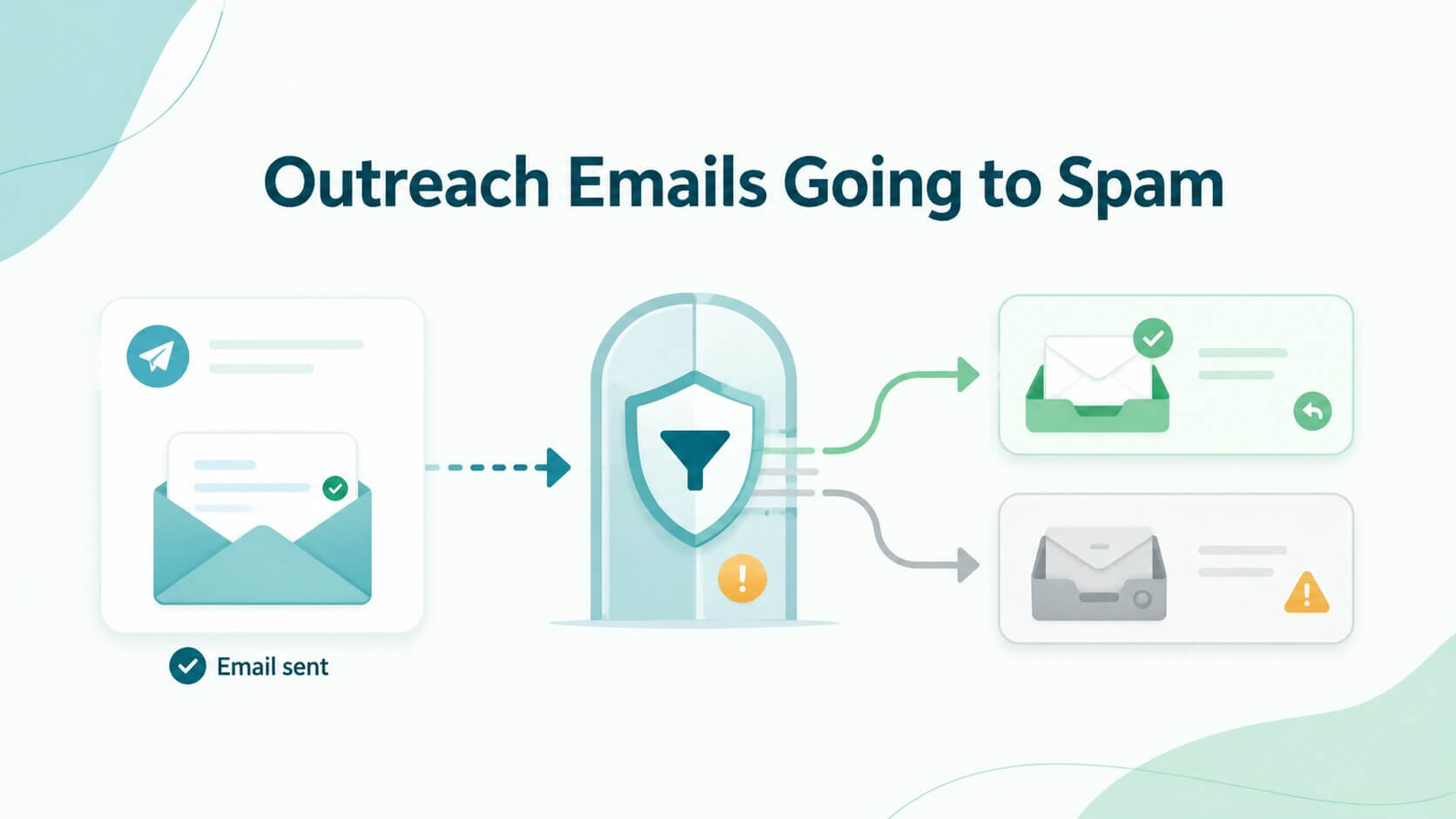
Cold outreach has become significantly more sensitive to deliverability issues, especially on platforms like Outreach. Many teams notice the same pattern: emails show as “sent” or even “delivered”, but replies drop and prospects say messages landed in spam - or were never seen at all.
This disconnect happens because email delivery is no longer just about sending messages. Inbox providers evaluate identity, reputation, engagement, and behavior before deciding whether an email reaches the inbox. Outreach handles the sending workflow, but deliverability outcomes depend on the entire system behind it.
In this guide, you’ll learn how to diagnose why Outreach.io emails go to spam, what settings and patterns typically cause issues, and how to fix them quickly. We’ll also cover how to prevent problems across all inboxes by improving authentication, list quality, and sending behavior.
TL;DR: When revenue teams see a "Delivered" status in Outreach.io but receive zero replies, they mistakenly assume the prospect simply ignored the message. In reality, a "Delivered" status only confirms the receiving server accepted the physical network transfer; if your sender reputation is severely damaged, the receiving provider's spam filters (and, in front of enterprise domains, secure email gateways) will silently route those accepted messages to the prospect's spam folder. This silent filtering occurs because B2B outbound workflows often trigger algorithmic red flags: aggressive volume spikes, weak identity authentication, and heavy tracking pixels. However, the most destructive factor is attempting to run massive sequences on unverified B2B data riddled with deactivated inboxes and spam traps. To restore your Outreach pipeline and force your emails back into the primary inbox, you must reduce daily sending volume, strip out aggressive HTML tracking, and integrate an out-of-band verification API like Allegrow to purge toxic data from your sequences before you hit send.
What does it mean when Outreach says “delivered”, but prospects never see the email
When Outreach marks an email as “delivered”, it means the receiving mail server accepted the message. However, this does not guarantee that the email reached the recipient’s inbox. Messages can still be filtered into spam or other folders after being accepted.
This distinction is critical. Delivery happens at the server level, while inbox placement is determined later by spam filters and reputation systems. As a result, an email can be technically delivered but never seen by the recipient.
In most cases, the issue is not that Outreach failed to send the email. Instead, the problem lies in provider filtering, sender reputation, authentication gaps, or list quality, all of which influence how the receiving system treats your message.
Why Outreach.io emails go to spam more often in 2025–2026
Email providers have tightened enforcement for bulk and cold senders over the past two years. Most notably, Google and Yahoo's recent mandates established a strict spam complaint threshold: senders should keep spam rates below 0.1% and never reach 0.3%. Once a domain crosses 0.3%, it loses eligibility for Google's mitigation support until the rate stays below that line for seven consecutive days, and mail is increasingly throttled, deferred, or filtered to spam in the meantime. These updates place more emphasis on authentication, complaint rates, and engagement signals, making aggressive cold outreach workflows more vulnerable to permanent filtering.
Outreach sequences are particularly affected because they often follow patterns that resemble automation: similar messages sent at scale with relatively low engagement rates. When engagement is weak and spam complaints increase, inbox providers are more likely to treat future mail as lower-trust. In practice, teams often use reply rates and bounce patterns as internal warning signs, even though provider guidance is more explicit about spam rates, authentication, and sender reputation.
As a result, deliverability now depends heavily on maintaining positive engagement signals. Even if your setup is technically correct, consistently low replies or high ignore rates can push future emails into spam.
What is the fastest way to diagnose Outreach emails going to spam
The fastest way to troubleshoot spam placement is to follow a structured diagnostic order. Start with authentication and alignment, then evaluate list quality and bounce rates, followed by engagement signals, tracking configuration, and finally sending volume.
This sequence matters because earlier issues often cascade into later ones. For example, poor list quality can create high bounce rates, which damage reputation and reduce inbox placement, even if everything else is configured correctly.
One common false signal is open tracking. Because Apple’s Mail Privacy Protection (MPP) now automatically pre-loads tracking pixels in the background for millions of users, open rates are artificially inflated and functionally useless as a diagnostic metric. With opens unreliable, reply rates and bounce behavior are the most trustworthy signals of your underlying deliverability health, alongside direct inbox-placement testing.
What Outreach settings and sending patterns most often trigger spam placement
Certain Outreach configurations and behaviors are more likely to trigger spam filtering. One of the most common issues is consistently low engagement across sequences. When emails are sent at scale but rarely receive replies, providers interpret this as unwanted outreach.
Sender identity also matters. Using generic or no-reply style addresses reduces trust and can negatively impact engagement. Inbox providers increasingly favor messages that appear to come from real people with conversational intent.
Sequence behavior plays a major role as well. High sending volume combined with low replies creates a strong signal of automation. Even well-written emails can be filtered if the overall pattern looks like bulk outreach without meaningful engagement.
What technical setup fixes Outreach spam issues first
A strong technical foundation is the fastest way to stabilize deliverability. Before changing messaging or targeting, it is critical to ensure that identity and sending signals are properly configured.
How do you confirm SPF, DKIM, and DMARC are set correctly for Outreach sending
Authentication protocols (SPF, DKIM, and DMARC) are essential for proving that your domain is authorized to send email. All three must pass and align correctly for inbox providers to trust your messages.
Alignment means that the domain used in the visible "From" address matches the domain verified by SPF or DKIM under DMARC rules. If your SPF and DKIM signing domains do not align with your visible From domain (a common issue when sending infrastructure is not configured to sign as your corporate domain), DMARC fails. When DMARC fails and your policy is set to quarantine or reject, receiving servers treat the message as unauthenticated and filter it to spam or reject it. Configuring a custom tracking domain and correct DKIM signing for your sending domain is part of presenting a consistent, aligned identity.
The bulk sender expectations that matter here come from the mailbox providers, not from Outreach itself. Outreach does not manage SPF, DKIM, or DMARC inside the application, so this configuration happens at your domain and mail provider. Ensuring authentication is correctly configured and consistently passing is the first step in resolving spam placement issues.
When should you change tracking behavior to improve inbox placement
Tracking links and open-tracking pixels can introduce additional signals that increase filtering risk, especially in cold outreach sequences. Messages with multiple links or tracking elements may appear more promotional or automated.
If inbox placement drops, a practical first step is to reduce or temporarily disable tracking. This simplifies the message and helps isolate whether tracking is contributing to filtering.
In many cases, prioritizing replies over open tracking leads to more stable deliverability. Replies provide stronger positive signals than opens, which are often unreliable.
How should you separate cold outreach from transactional or newsletter deliverability?
Cold outreach carries more risk than transactional or lifecycle email because there is no existing relationship with the recipient. Engagement is typically lower, and complaint sensitivity is higher.
For this reason, cold outreach should not share the same domain or sending infrastructure as critical emails. Separating domains or sending streams helps protect core business communications from reputation damage. This isolation also allows teams to experiment and optimize outreach without affecting other email programs.
How email verification reduces spam placement in Outreach sequences
Email verification reduces spam placement by removing negative reputation signals before they reach mailbox providers. When Outreach sequences are sent to invalid addresses, the result is hard bounces, and when they hit low-quality or risky inboxes (like spam traps or abandoned accounts), engagement drops or complaints increase. These signals are used by providers like Gmail and Microsoft to decide whether future emails should be filtered to spam - even if Outreach reports them as delivered.
The process starts before enrollment. Contacts are verified to filter out invalid emails, flag risky categories (such as disposable, role-based, or catch-all domains), and classify which addresses are safe to include in sequences. Instead of treating all valid-looking emails equally, verification introduces decision rules: send to high-confidence contacts, segment or throttle risky ones, and suppress clearly undeliverable addresses. This reduces the likelihood that Outreach campaigns generate the kinds of signals that trigger spam filtering.
Ongoing verification reinforces this protection over time. Lists naturally decay as people change jobs or abandon inboxes, especially in B2B environments. By re-verifying older segments and continuously suppressing newly risky contacts, teams prevent hidden list quality issues from accumulating.
What should email verification catch before leads enter Outreach
Verification should identify syntax errors, domain and MX validity, disposable email providers, role-based addresses, and catch-all domains. It should also classify addresses based on risk level when certainty is not possible.
These checks help reduce the likelihood of bounces and identify segments that may require more cautious sending. Advanced platforms like Allegrow provide deeper classification, especially for enterprise and catch-all domains where traditional tools often return uncertain results.
However, it is important to understand the limits of verification. While it reduces risk, it does not guarantee engagement or inbox placement.
How should you handle catch-all and enterprise domains in Outreach
Catch-all and enterprise domains introduce more uncertainty because they accept messages even when a specific mailbox may not exist. This makes it harder to predict deliverability outcomes.
The safest approach is to segment these contacts and send at lower volumes. Monitoring engagement and bounce signals closely helps identify whether the segment is performing safely. Decisions about whether to send, segment, or suppress these contacts should be based on clear policies rather than ad hoc judgment.
How should you ramp up sending volume in Outreach without triggering spam filters?
Ramping sending volume in Outreach is fundamentally about building trust with mailbox providers over time. When a new inbox or domain suddenly sends a high volume of emails, especially cold outreach, it creates a pattern that closely resembles spam behavior. Providers respond by throttling delivery, deferring messages, or routing them to spam. A proper ramp-up avoids this by introducing volume gradually and maintaining consistent sending patterns day over day.
In practice, this means starting with a low daily send volume per inbox and increasing it incrementally as long as key signals remain healthy. These signals include low bounce rates, steady reply rates, and no spikes in complaints. Instead of doubling volume aggressively, increases should be small and controlled, allowing providers to continuously reassess the sender’s reputation without triggering risk thresholds. Consistency matters just as much as growth; that is, sending 30 emails every day is safer than sending 0 one day and 300 the next.
If inbox placement drops at any point, the correct response is not to push through but to stabilize. Reducing volume immediately limits further negative signals and gives providers time to reassess the sender more favorably. Only once engagement and placement recover should ramping resume.
What content changes improve Outreach inbox placement
Content influences deliverability primarily through engagement signals, not just spam keyword detection. Modern mailbox providers evaluate how recipients interact with emails, that is, whether they open, reply, ignore, or mark them as spam. This means that even technically perfect emails can land in spam if the content fails to generate positive engagement, while simple, relevant messages are more likely to reach and stay in the inbox.
The most effective Outreach emails are intentionally minimal. They focus on a single, clear objective (usually a reply) without distracting elements like multiple links, heavy HTML formatting, or aggressive calls to action. Reducing links and tracking elements can also lower filtering risk, especially in cold outreach. Structurally, strong emails get to the point quickly, avoid generic phrasing, and feel like a one-to-one message rather than a broadcast.
Relevance is the biggest lever. The opening line should demonstrate why the recipient is being contacted, ideally referencing their role, company, or a specific trigger. When recipients recognize immediate value, they are more likely to reply, and those replies become positive signals that improve future inbox placement. Over time, this creates a feedback loop where better content drives better engagement, which in turn strengthens deliverability.
What should you monitor to catch spam placement before it spreads
Catching spam placement early requires monitoring a combination of leading and lagging indicators, not just whether emails are marked as delivered. Bounce rate is one of the earliest warning signs: if it increases, it often points to list quality issues that can quickly damage sender reputation. Complaint signals, even at low levels, are another critical indicator because they directly influence filtering decisions by mailbox providers.
Reply rate is one of the most important performance metrics to track, especially in Outreach. Unlike open rates, which can be inflated by tracking pixels and automated scans, replies represent real human engagement. A sudden drop in replies often indicates that emails are either losing relevance or being filtered into spam or secondary tabs. Monitoring reply trends at the inbox, sequence, and segment level helps identify where issues are starting before they scale.
Beyond engagement, teams should also track inbox placement through seed testing or provider-specific tools, as well as monitor domain and IP reputation where possible. The key is to detect patterns, not isolated events. If a specific domain, segment, or sequence shows declining performance, it should be paused and investigated immediately. Early intervention, such as adjusting volume, cleaning the list, or refining targeting, prevents localized issues from spreading across the entire sending system.
What should you do first when Outreach warns about bulk sending changes
For example, Google classifies any domain sending 5,000 or more messages a day to personal Gmail accounts as a "bulk sender," which subjects that domain to Google's authentication, spam-rate, and one-click-unsubscribe requirements. Google enforces these gradually and progressively, with non-compliant mail increasingly throttled, filtered to spam, or rejected. These warnings should be treated as red flags indicating your sending is under closer scrutiny.
The first step is to verify authentication settings and ensure SPF, DKIM, and DMARC are aligned correctly. Next, review unsubscribe handling and complaint rates to confirm that recipients can opt out easily.
Finally, evaluate sending patterns. High volume combined with low engagement is often the root cause of these warnings. Adjusting volume and improving targeting can help stabilize performance.
How Allegrow helps fix Outreach emails going to spam
Fixing Outreach deliverability issues requires addressing list quality before emails are ever sent. Allegrow helps by verifying contacts before they enter sequences, reducing bounce risk and protecting sender reputation.
The platform also provides deeper classification for complex domains, including enterprise and catch-all addresses, where traditional verification tools often struggle. This allows teams to segment and manage risk more effectively.
In addition, Allegrow can automate verification and suppression directly within outreach workflows. By preventing risky contacts from entering sequences, teams can maintain healthier sending patterns and improve overall deliverability.
Conclusion
Outreach.io emails going to spam is rarely the result of a single misconfiguration - it’s typically the outcome of small issues compounding across your sending system. Throughout this guide, the pattern is clear: delivered does not mean read, and inbox placement is ultimately determined by how mailbox providers evaluate your behavior over time.
The most effective way to fix and prevent these issues is to treat deliverability as an operational workflow, not a one-time setup. That means verifying SPF, DKIM, and DMARC alignment, controlling how contacts enter your sequences, and building a structured ramp-up process that prioritizes consistency over speed. It also means improving engagement at the source (through better targeting, simpler messaging, and reducing unnecessary tracking) while continuously monitoring metrics to catch problems early before they spread.
List quality plays a particularly critical role in this system. Even a perfectly configured Outreach setup cannot compensate for invalid, outdated, or high-risk contacts. Verifying emails before they enter sequences, segmenting catch-all and enterprise domains carefully, and re-checking older data ensures that your campaigns generate positive signals instead of reputation damage. This is often the difference between stable inbox placement and gradual deliverability decline.
If you want to prevent these issues before they impact your campaigns, Allegrow adds a dedicated verification layer built for B2B outreach. Start a 14-day free trial to verify up to 1,000 records, including enterprise and catch-all emails, with conclusive valid/invalid results, and start your next Outreach campaign from a position of strength rather than risk.
FAQs
Why are my Outreach sequence emails going to spam?
This usually happens due to a combination of weak authentication, low engagement signals, and poor list quality rather than a single issue. If your emails generate low replies, high bounces, or occasional complaints, mailbox providers start treating your sending behavior as risky. Over time, this leads to more messages being filtered into spam, even if nothing obvious has changed in your setup.
Why does Outreach say “delivered” but the email is in spam?
“Delivered” only means the receiving mail server accepted the message; it does not guarantee inbox placement. After acceptance, mailbox providers apply filtering based on reputation, engagement history, and content signals to decide whether the email goes to the inbox or spam folder. This is why you can see high delivery rates in Outreach while actual visibility and replies remain low.
How do I fix Outreach emails going to spam fast?
The fastest way to recover is to reduce risk immediately by pausing or lowering sending volume and stopping sends to unverified or low-quality segments. Then, confirm SPF, DKIM, and DMARC alignment, clean and re-verify your list, and simplify tracking and content. Once performance stabilizes, you can gradually ramp sending back up while closely monitoring engagement and bounce signals.
Do tracking pixels hurt Outreach deliverability?
Tracking pixels can increase filtering risk because they add extra signals and external requests that mailbox providers evaluate, especially in cold outreach. They can also inflate open rates due to automated scans, making them unreliable for diagnosing real engagement. In many cases, reducing or removing tracking improves inbox placement by simplifying the email footprint and focusing on reply-driven signals instead.
What bounce rate is too high for Outreach sequences?
Bounce rates should remain very low, typically well under a few percent, because even small spikes can quickly damage sender reputation. A sudden increase usually indicates list quality issues, such as invalid or outdated emails entering your sequences. When this happens, sending should be paused and the affected segment should be re-verified and cleaned before continuing.
How do I handle catch-all domains in Outreach?
Catch-all domains introduce uncertainty because the server accepts all emails, but not all messages actually reach a real inbox. The best approach is to segment these contacts, send to them at lower volumes, and monitor engagement closely to determine which ones are worth keeping. Over time, underperforming contacts should be suppressed to avoid dragging down overall deliverability.