Email bounces can feel like a routine annoyance: a message fails, you remove the contact, and you keep moving. But for B2B teams, bounce rate isn’t just a hygiene metric. It’s one of the earliest and clearest indicators of sender reputation decay. And when ignored, the bounce rate becomes the silent force behind declining open rates, disappearing replies, and sequences that fall flat despite strong messaging.
Most companies only start investigating bounce issues after something breaks. SDRs notice reply rates collapsing, a new domain starts landing in spam on day one, or a newsletter distribution suddenly drops by thousands. In every case, the root cause usually traces back to list quality, data decay, or overlooked authentication issues - all of which manifest as increasing bounce rates long before inbox placement visibly drops.
Understanding how bounces work, what causes them, and how to resolve them is the foundation of good deliverability. This guide offers a full breakdown of bounce types, diagnostic techniques, root causes specific to B2B outbound, and a practical playbook for reducing bounce rates sustainably.
TL;DR: While often dismissed as a routine vanity metric, email bounce rate is actually the earliest diagnostic signal of sender reputation decay, distinguishing between temporary "soft" failures (4xx errors) and permanent "hard" rejections (5xx errors) that can effectively blacklist a domain if ignored. In B2B environments where data naturally degrades at roughly 22% annually, relying on reactive cleanup is insufficient because even a single spike above the 2% threshold can trigger aggressive spam filtering by providers like Google and Outlook. To maintain long-term deliverability, revenue teams must shift to proactive hygiene—specifically by implementing real-time verification at the point of capture and utilizing advanced tools like Allegrow to definitively resolve risky catch-all domains into valid or invalid statuses before they ever enter a sequence.
What is an email bounce?
An email bounce occurs when the receiving mail server refuses to accept your message. Instead of delivering it to the inbox, the server responds with an SMTP error code explaining why the message failed. Although many view a bounce as a simple failed delivery, it’s actually a diagnostic signal that can indicate issues.
In the context of B2B, where lists often contain mixed-quality data, legacy CRM records, and catch-all domains, bounces reveal structural issues in your data pipeline. That’s why they are an early warning sign that your outbound motion may be exposing your domain to unnecessary risk.
What is email bounce rate?
Your email bounce rate is the percentage of outgoing emails that are explicitly rejected by the receiving mail server — returning an SMTP error code instead of reaching the inbox — which serves as the clearest early indicator of data decay and sender reputation risk. Rather than just a metric of failed delivery, a bounce acts as a diagnostic signal that your list quality, authentication, or domain standing may be compromised.
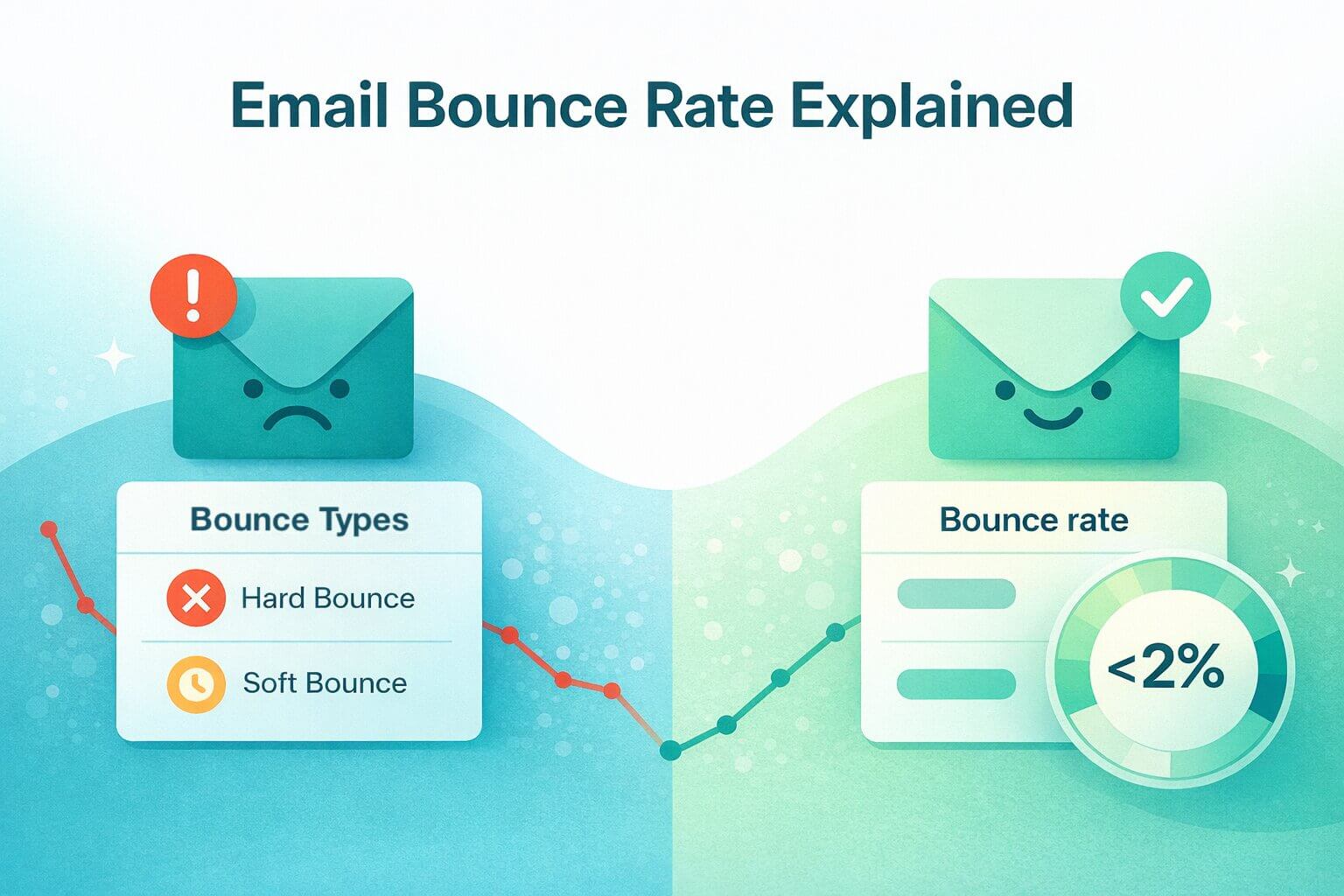
To ensure domain safety, healthy senders typically maintain a bounce rate below 2%, according to benchmarks from Mailtrap, while complaint rates, which is when users mark your email as spam, should stay below 0.3%, as flagged by Google itself.
Hard vs. Soft bounces: What is the difference?
The simplest way to understand email bounce types is to think in terms of permanence. A hard bounce indicates a permanent failure, that is, something that prevents delivery altogether. That can be something like an email address that doesn’t exist or a domain that refuses to accept emails. A soft bounce, on the other hand, reflects a temporary interruption, like a full mailbox or a brief server issue that might clear on its own.
These two categories behave very differently in practice, and the way you respond to each one directly affects your deliverability, your suppression policies, and the health of your B2B outreach engine. Let’s take a closer look at hard and soft bounce, and how to deal with them.
Hard bounces: permanent failures
A hard bounce means the email has no possible path to reach its destination. This happens for several reasons: the mailbox doesn’t exist, the domain is invalid, the recipient’s server refuses all mail from your domain, or a policy prevents the message from being accepted. Hard bounces should be suppressed across all sending platforms immediately - CRM, ESP, SEP, and any automation tools.
It’s important not to delete these records entirely, however. That’s because they provide historical context that helps identify trends in list sourcing and quality. Deleting them erases the audit trail, making it harder to diagnose systemic issues. Mailgun emphasizes immediate suppression as a deliverability best practice.
Soft bounces: temporary failures
Soft bounces occur when a message can’t be delivered at that exact moment, but it may be deliverable later. Common causes include full mailboxes, temporary server outages, message size limits, or rate-limiting rules on the receiving server.
Most sending platforms automatically retry soft bounces several times. However, when the same address continues to soft bounce over multiple sends or multiple campaigns, the issue is no longer temporary. At that point, the address should be quarantined or suppressed based on your organization’s policy.
Why bounce rate matters for deliverability and revenue?
Bounce rate is one of the earliest indicators of a deteriorating sender reputation. When servers detect consistent delivery failures, they begin treating your domain as lower quality. This can quickly escalate into broader deliverability issues, such as:
- Increased spam placement
- Higher filtering into promotions
- Lower inboxing rates across all sequences
- Declines in open rates and reply rates
- Reduced pipeline generated per SDR
Most platforms monitor bounce thresholds closely. Exceeding safe limits can trigger rate limits, temporary blocks, or even account suspension.
Beyond deliverability, high bounce rates represent direct revenue loss. That’s because every email that doesn’t reach a buyer is a missed opportunity, whether that’s an outbound touchpoint, a follow-up sequence, or a product newsletter. And once a domain suffers reputation damage, repairing it requires reduced sending, domain warmup, and sometimes even migrating to a new subdomain - all of which slow down go-to-market activity.
How to diagnose bounces using SMTP codes and context
SMTP codes are essentially the language email servers use to explain why a message couldn’t be delivered, and reading them correctly helps you distinguish between a passing inconvenience and a deeper deliverability issue. That’s why understanding SMTP codes helps teams determine whether a bounce reflects a temporary issue or a systemic problem. And with that knowledge, teams can react appropriately and prevent small issues from escalating into widespread inboxing problems.
Reading the SMTP code family: 4xx vs 5xx
SMTP codes fall into two broad families, and the first digit tells you almost everything you need to know about how to respond. A 4xx code signals a temporary failure. These include server overloads, temporary rate limits, or a brief connection issue. In most cases, simply allowing the platform’s normal retry logic to run is enough to deliver the message once the temporary condition clears.
A 5xx code, on the other hand, indicates a permanent failure. These show up when an address is invalid, a domain cannot accept mail, or a server enforces a policy that rejects your message. Unlike 4xx events, these won’t resolve on their own, and contacts generating 5xx codes should be suppressed to avoid repeat failures and further damage to domain reputation.
Root causes — what actually triggers bounces in B2B
B2B senders face unique challenges that make bounce management more complex than in B2C. Contacts are sourced from forms, events, enrichment tools, or even scraped data, and the accuracy of these lists can vary widely. Combined with the natural decay of corporate email addresses over time, this creates a high potential for bounces if verification and suppression processes are not rigorously applied. Let’s take a look at the root causes of bouces in B2B.
List quality issues: invalids, role accounts, and stale data
One of the most common drivers of bounces is poor list quality. B2B email addresses degrade at an estimated rate of 22.5% annually, depending on the industry, because people change jobs, companies retire domains, and inactive mailboxes are abandoned.
Role-based addresses, such as info@ or admin@, often reject cold outreach or bounce due to strict filtering rules. Legacy CRM records are another major factor: stale contacts that haven’t been validated in months can silently inflate hard and soft bounces. Establishing a consistent verification cadence is critical to prevent list decay from affecting your deliverability over time.
Catch-all domains and unknowns
Catch-all domains accept all incoming email to any address, but that doesn’t mean the individual mailbox you are sending to exists. Traditional verification tools categorize these addresses as “unknown” because they cannot determine whether the mailbox is real or not.
This uncertainty is risky for outbound. Sending to catch-alls increases bounce probability, and if the mailbox doesn’t truly exist, your domain takes a reputation hit. This is where Allegrow’s ability to provide “valid” or “invalid” statuses, instead of “unknown”, creates a measurable advantage.
Infrastructure and authentication drift
Even with clean lists, misconfigured email infrastructure can trigger bounces. Over time, SPF, DKIM, and DMARC configurations can drift due to DNS changes, martech additions, or domain migrations.
Even a small misalignment can cause soft bounces or trigger policy rejections, which, if unresolved, can escalate into repeated failures and trigger spam flags. Continuous monitoring of authentication settings and subdomain alignment is essential to maintain deliverability, especially for B2B teams running high-volume outbound sequences.
Reputation issues and spam trap hits
Reputation issues and spam traps are often the hardest bounces to anticipate. Spam traps, recycled addresses, and inactive mailboxes may either bounce messages silently or accept them in ways that harm your sender reputation over time. Manual reporters can also create unpredictable bounce and deferral patterns, making them difficult to detect with traditional verification tools.
The solution lies in advanced risk analysis that identifies traps, spam reporters, and other hidden threats, allowing teams to suppress risky addresses before they damage domain reputation.
How to reduce bounce rate: a step-by-step playbook
Reducing bounce rates sustainably requires a structured approach that spans the entire email lifecycle - from initial capture to sending practices, verification, suppression, and infrastructure management. Each layer addresses specific risk points, and together they create a robust system for maintaining deliverability and protecting domain reputation. Here are some easy steps you can follow to reduce bounce rates.
Verify at capture and run pre-send sweeps
The first line of defense is ensuring that only valid contacts enter your system. Real-time API validation at the moment of capture prevents invalid addresses from ever reaching your CRM or email sequences, reducing the risk of immediate bounces.
Scheduled batch verification of older segments ensures that data degradation over time doesn’t silently inflate your bounce rate. Industry benchmarks emphasize keeping overall bounce rates below 2%, making these verification practices critical for both marketing and outbound teams.
Use a catch-all email verifier
Catch-all domains present a unique challenge: while the domain itself accepts all messages, the individual mailbox may not exist. Traditional verification tools often label these addresses as “unknown", leaving senders exposed to risk.
But because catch-all domains mask the true status of an address, using a system that returns valid or invalid statuses is critical. That’s why Allegrow’s definitive “valid” or “invalid” verdicts are a game-changer. This allows teams to quarantine risky addresses while confidently sending to verified contacts, reducing bounce exposure and protecting sender reputation.
Enforce suppression policies
Even the most sophisticated verification process is ineffective without consistent and centralized suppression. Hard bounces in one platform (whether a CRM, SEP, or ESP) must be consistent across all sending tools. Failing to suppress these contacts creates repeated bounce events that can damage domain reputation.
Teams should never re-activate a hard-bounced contact without verified evidence that the mailbox has been corrected. Centralized suppression policies are a cornerstone of maintaining healthy inbox placement over time.
Stabilize your infrastructure
A stable sending infrastructure is essential for minimizing bounces. All SPF, DKIM, and DMARC records must remain properly configured, subdomains should be aligned with sending patterns, and volumes must be throttled appropriately - especially when ramping a new domain or subdomain.
Even minor misconfigurations or misalignments can trigger soft bounces, policy rejections, or spam filtering. Regular monitoring and alignment checks ensure that your infrastructure supports consistent deliverability.
Improve content and sending hygiene
Finally, the messages themselves play a significant role in bounce prevention. Emails with excessive links, poor formatting, or patterns that resemble spam can trigger deferrals or soft bounces. Similarly, sending too quickly from a new domain or subdomain may raise flags at the recipient server.
Following best practices for content quality, right-sizing messages, and sequencing outreach based on engagement signals helps maintain stable inbox placement. When combined with robust verification and suppression policies, clean and thoughtful sending practices form the last layer of a comprehensive bounce-reduction strategy.
Summary and next steps
Email bounces are more than simple delivery failures. They are early warning signals that expose list quality issues, authentication drift, catch-all uncertainty, and underlying reputation risks. In B2B environments, where data decays faster and acquisition sources vary widely, these pressures compound quickly. Hard bounces reflect permanent failures that erode domain trust, while soft bounces point to temporary conditions that can escalate if left unresolved.
A sustainable bounce-reduction strategy blends prevention, verification, suppression, and infrastructure stability. Real-time capture validation keeps invalids out from the start; batch sweeps ensure older segments remain safe to message. Furthermore, reliable verdicts for catch-alls eliminate the risk hidden in “unknown” statuses. Added to that, centralized suppression policies stop hard bounces from re-entering sequences unnoticed, and ongoing authentication alignment prevents policy blocks, rate limits, and deferrals.
Teams that operationalize these safeguards see consistently lower bounce rates, fewer domain-level disruptions, and healthier sender reputations. Tools like Allegrow extend this protection further by flagging high-risk contacts (including spam traps, manual reporters, and invalid catch-alls) before a sequence is ever launched. The result is a sending environment where outreach remains predictable, compliant, and reputation-safe, even at scale.
Try it for yourself: upload up to 1,000 contacts into Allegrow during the 14-day free trial. You’ll see which catch-alls are valid or invalid, which contacts are spam traps or spam reporters, and where hidden risks are limiting your inbox placement. Compare bounce and reply rates on your next campaign to understand the impact immediately.
FAQs about email bounces
What’s a good email bounce rate?
Most deliverability benchmarks recommend keeping overall bounce rates below 2%, with complaint rates under 0.3%. Anything consistently above that signals list quality issues or infrastructure problems. Outbound teams should aim even lower because sequence frequency amplifies reputation impact.
Should I ever re-send to bounced contacts?
Generally, no. Hard bounces should stay permanently suppressed unless you have definitive proof that the mailbox has been corrected or replaced. On the other hand, soft bounces can be retried, but only sparingly. If a contact soft-bounces consistently across multiple sends, it should be quarantined or re-verified before any further messaging.
Do soft bounces count against reputation?
Yes, just not as severely or as immediately as hard bounces. A single soft bounce is usually harmless, but patterns of soft bounces signal deeper issues: throttling, content flags, engagement decline, or early reputation strain. Mailbox providers track these signals over time. So if they accumulate, they can contribute to spam filtering, deferrals, and domain slowdowns.
How often should I re-verify B2B lists?
B2B data decays quickly, so verification needs to be more frequent than in B2C. As a baseline, outbound sequences should be verified before major sends and at least monthly, marketing lists should be checked quarterly, and high-risk sources (events, enrichment, scraped data) should be verified at capture and before activation. Stale segments are one of the leading causes of bounce spikes, so cadence matters as much as the verification tool you use.
What’s the fastest way to cut bounces this week?
The quickest path is to eliminate uncertainty in your active segments. Run a fresh verification pass on the contacts you plan to email, remove invalid catch-alls, and make sure suppression rules are consistent across your CRM, ESP, and SEP. At the same time, confirm your SPF, DKIM, and DMARC records are aligned so you’re not being held back by preventable authentication issues. These steps alone typically reduce bounce rates within days.