Email remains the backbone of business communication, yet many organizations overlook the profound impact that the right email account configuration can have on productivity, security, and deliverability.
For B2B teams, understanding the subtle distinctions between mailbox types, connectivity protocols, and hosting models is essential. The choices you make today can influence how efficiently your team communicates, how secure your data remains, and how likely your emails are to land in the recipient’s inbox rather than the spam folder.
In this article, we will break down the different types of business email accounts, explain key connectivity protocols and hosting options, and provide guidance on how to match each setup to common B2B use cases such as sales, support, finance, marketing, and engineering. Additionally, we will cover governance, security, and deliverability best practices to help you design an email environment that is both scalable and compliant.
TL;DR: Types of email accounts for business encompass distinct configurations—ranging from personal mailboxes (essential for sales trust) to shared inboxes (for support continuity) and transactional subdomains—each serving a specific operational function. While organizations often default to basic setups, failing to distinguish between connectivity protocols (IMAP vs. Exchange) or misusing role-based addresses (like info@) for outbound outreach can severely damage sender reputation and break SPF/DKIM authentication. Consequently, B2B teams must architect their environment with strict governance (MFA) and isolation strategies, utilizing platforms like Allegrow to ensure that high-volume automated sending does not compromise the deliverability of primary business communications.
What do we mean by “types of email accounts”?
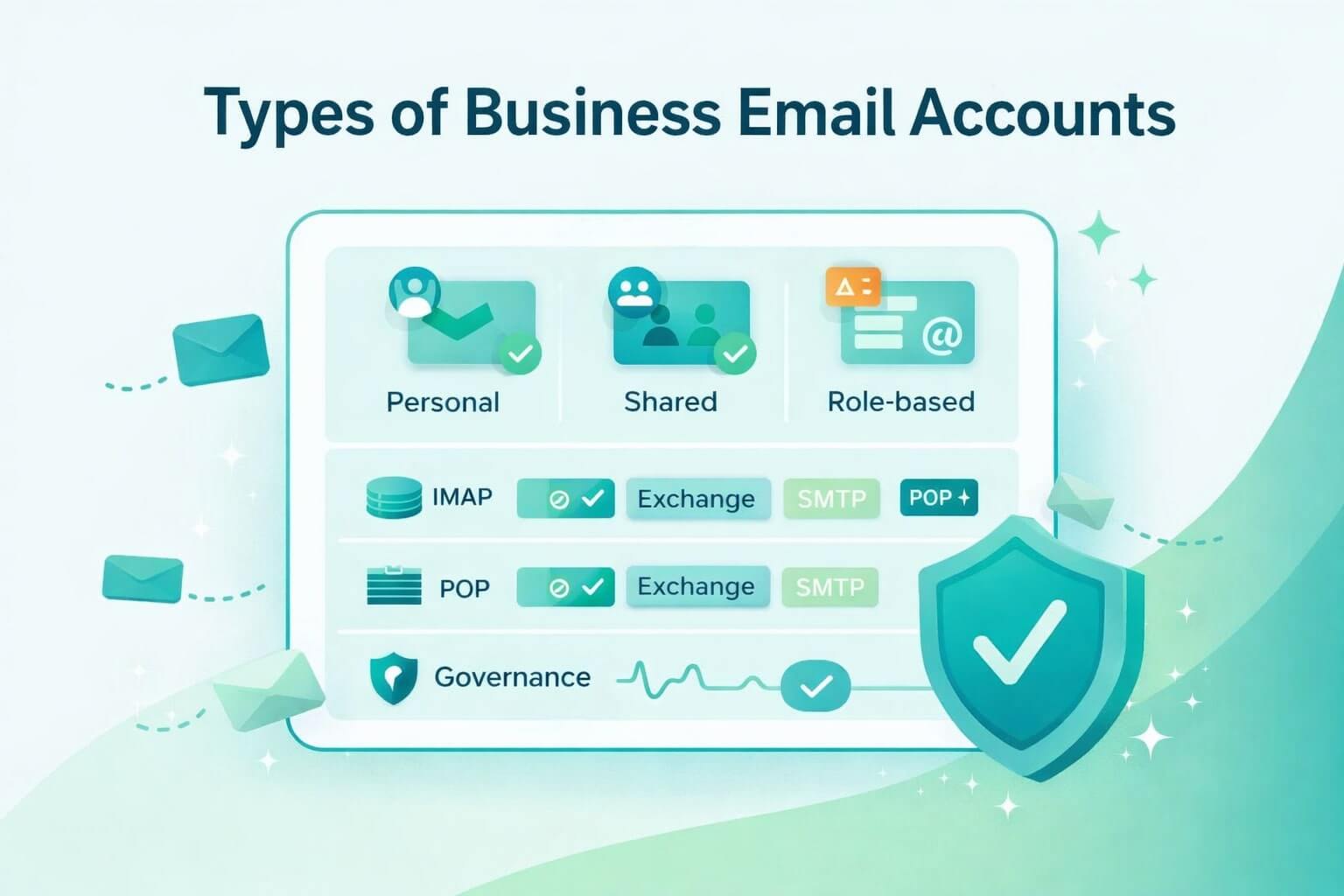
When discussing types of email accounts, we are examining two interconnected dimensions:
- Mailbox Types: Who uses the mailbox and how it is addressed (e.g., User vs. Shared).
- Connectivity Protocols: How emails are sent, synced, and stored (e.g., IMAP vs. Exchange).
This distinction is critical because a sales representative's personal mailbox requires different management and security practices compared to a transactional email account sending thousands of receipts daily. Mapping these choices to business functions such as sales, finance, and marketing allows organizations to optimize operational efficiency, protect sensitive data, and maintain a strong sender reputation, which is pivotal for email deliverability.
Mailbox types for business: which should you use and when?
Mailbox types impact ownership, workflow, auditing, and the perception of professionalism and reliability. Choosing the correct type ensures that the right individuals have access while maintaining brand integrity and regulatory compliance.
Personal/user mailbox (named mailbox)
A personal mailbox is assigned to an individual employee, typically with a licensing requirement, dedicated storage, and access to calendar and tasks. It is the primary tool for personal communication, including client outreach, internal collaboration, and management reporting. Personal mailboxes are crucial in sales, where the trust associated with a named sender enhances engagement and reduces the likelihood of messages being flagged as spam.
Multi-factor authentication (MFA) is critical to protect against account compromise, and regular monitoring ensures that bulk outreach from these accounts does not inadvertently harm reputation. When configured correctly, personal mailboxes serve as the backbone of individualized business communication, ensuring accountability and personal ownership of interactions.
Shared mailbox (team-owned, no separate license in some plans)
Shared mailboxes enable multiple team members to access a single mailbox, making them ideal for customer service, billing inquiries, or any function requiring multiple individuals to respond promptly. As a result, shared mailboxes eliminate the dependency on a single person and provide continuity across shifts, critical for SLA-driven environments. However, they require careful permission management to prevent accidental overlaps or missed responses.
Auditing capabilities ensure that every action can be tracked for compliance purposes. Deliverability benefits include consistent 'From' headers, which reinforce the professional identity of the team rather than individual senders, promoting reliability in customer interactions.
Role-based address (info@, sales@, support@)
Role-based addresses are non-personal, generic email accounts used to represent a team or business function rather than an individual. They are valuable for maintaining brand consistency, routing communications efficiently, and providing a professional appearance for incoming inquiries. However, they tend to attract more spam and are scrutinized more heavily by spam filters.
Role-based addresses are best suited for inbound communications and should generally be avoided for cold outbound marketing campaigns. Proper SPF and DMARC alignment, combined with rigorous internal handling procedures, are necessary to maintain deliverability and ensure messages reach their intended recipients.
Aliases vs forwarding addresses
Aliases and forwarding addresses seem similar, but they work very differently. Think of an alias as a second name for the same mailbox. If someone emails jane@company.com or support.jane@company.com, both messages land in Jane’s inbox. No rerouting happens, and deliverability stays clean because the message’s technical details don’t change.
A forwarding address, however, acts like a mail redirection service. An email sent to info@company.com might automatically get forwarded to sarah@company.com. While convenient, this forwarding can break SPF, DKIM, and DMARC checks - systems used to verify whether an email is legitimate. When these checks break, your messages are more likely to land in spam.
From a compliance standpoint, companies must track unsubscribes and governance rules across all aliases and forwarded addresses. If an unsubscribe hits an address that quietly forwards somewhere else, it’s easy to miss. Keeping these two types organized prevents compliance gaps and maintains healthy email practices.
Distribution list (one-to-many)
Distribution lists or groups are designed for internal communication or one-to-many messaging, such as departmental announcements or team-wide updates. They support moderation to control who can post and establish policies for external senders, ensuring internal channels are not exploited.
Additionally, archiving and compliance logging provide visibility and accountability, which is critical for regulated industries or organizations maintaining strict internal communication protocols.
Service account
A service account is a mailbox created for a system or tool, not a person. For example, when your CRM sends automated reminders, or when a printer scans documents and emails them, or when an internal system generates alerts, those messages often come from a service account.
Since no human checks the inbox daily, these accounts need strict security controls, such as strong password rotation policies, the use of OAuth or app-specific credentials, conditional access policies, and least-privilege principles to prevent abuse. Access should be tightly restricted using conditional access policies and least-privilege rules, meaning the account only has the minimal permissions necessary to perform its function. Mismanagement of service accounts can lead to critical security incidents, including unauthorized data access or email-based exploits.
Transactional/sending-only mailbox
Transactional mailboxes are dedicated to sending automated messages such as order confirmations, notifications, or receipts. These accounts should be separated from primary business domains to protect the reputation of other mailboxes.
Monitoring rate limits, implementing subdomain strategies, and carefully managing unsubscribe mechanisms are essential to maintaining deliverability and compliance. These accounts allow businesses to scale automated communication without jeopardizing personal or shared mailboxes.
Connectivity Protocols: IMAP, POP, Exchange & SMTP
Once you've selected the right mailbox types for your team, the next consideration is how those accounts connect and deliver messages. Email protocols determine how messages move between your devices and your email server. Understanding the differences helps you choose the right setup for sync reliability, mobility, security, and performance.
In business environments, choosing the wrong protocol can cause sync conflicts, data loss, or limited functionality. Choosing the right one, however, ensures smoother workflows and fewer IT headaches.
IMAP (modern sync across devices)
IMAP keeps all your emails on the server, so any action you take (like reading, moving, or deleting a message) shows up the same on every device you use. Think of it like a shared notebook: if you write a note when you're at the office, your changes are visible when you check the notebook at home. This makes it perfect for teams who switch between laptops, phones, and webmail, giving everyone a consistent and up-to-date view of their inbox.
POP (download & delete)
POP is a very simple way of getting email: it downloads messages from the server to one device and usually removes them from the server afterward. This means you can only see your emails on that device, and sent items or folders won’t appear elsewhere. This is like taking a notebook home: you have it on your desk, but no one else can see it. It works if you only use one device and need offline access, but for modern teams using multiple devices, it can cause missing emails or confusion.
Exchange/Graph/MAPI (Microsoft 365)
Exchange is Microsoft’s system for email that also keeps your calendars, contacts, tasks, and shared mailboxes in sync across all devices. Unlike IMAP or POP, it allows teams to collaborate seamlessly, manage permissions, and track workflows. Imagine a big digital planner that everyone can see and update. The Graph API adds extra tools for automation and reporting, making it ideal for teams that need more than just email.
SMTP relay (sending path)
SMTP is how emails get sent out. An SMTP relay is like a trusted post office that checks who is sending the mail, makes sure it’s not too much at once, and keeps your domain safe. It’s used for automated emails like notifications, receipts, and password resets. A properly set up SMTP relay prevents spam, keeps emails delivering reliably, and stops unauthorized use of your domain.
Hosted email choices: Google Workspace vs Microsoft 365 vs self-hosted
Before choosing mailbox types or protocols, businesses also need to decide where their email will live. Your hosting environment affects reliability, deliverability, security, admin workload, and long-term scalability. While all three models can technically support the same mailbox types, the real difference lies in how easy they are to manage and how well they integrate with the rest of your tools.
Google Workspace simplifies administration with collaborative tools and integrated security features. Its built-in security tooling, intuitive interface, and tight integration with Docs, Drive, and Meet make it ideal for teams that want low maintenance and strong cloud-first workflows.
Microsoft 365 delivers deeper enterprise capabilities, especially around Exchange, permissions, auditing, compliance retention, hybrid identity, and fine-grained administrative control. It’s typically preferred by organizations that rely on Outlook, shared mailboxes, directory management, or regulated-industry compliance.
Self-hosted solutions grant complete control but require substantial effort to manage uptime, secure connections, and maintain deliverability standards, including TLS, rDNS, and blacklist monitoring. Deliverability is particularly challenging because hosting your own mail server means you are fully responsible for staying off blacklists and maintaining authenticated, secure mail flow.
How does mailbox choices affect deliverability?
Mailbox structure plays a much bigger role in deliverability than many teams realize. Some mailbox types naturally raise red flags with spam filters. For example, role-based addresses like info@ or support@ are heavily scrutinized by spam filters because they’re commonly used for bulk mailings. Using them for outreach can hurt inbox placement, and shared mailboxes can create inconsistent sending patterns if multiple users send from the same identity. Even too many aliases can blur your domain’s identity and reduce filter trust.
Forwarding creates another challenge because it often breaks SPF or DKIM authentication, making legitimate emails look suspicious. To protect inbox placement, businesses should use clear subdomain separation (such as marketing, transactional, and sales) so each function maintains its own reputation. Combined with good list hygiene and stable sending behavior, the right mailbox structure can significantly improve long-term deliverability.
Governance & security for every mailbox type
Strong email governance starts with clearly defined ownership and full lifecycle management, ensuring every mailbox is properly handled when users join, move within, or leave the organization. This includes enforcing MFA, rotating credentials or OAuth tokens, applying the right mail-flow rules, and maintaining retention and audit policies. Because each mailbox type serves a different purpose, the controls you apply must be tailored to its specific risks and operational needs.
Here is a quick checklist per mailbox type:
- Personal mailboxes: Enforce MFA, manage access during role changes, maintain calendar ownership, and rotate passwords or tokens regularly.
- Shared mailboxes: Define permissions, set SLA coverage, apply auditing, and control forwarding.
- Role-based addresses: Confirm SPF/DMARC alignment, organize inbound routing, and document monitoring responsibilities.
- Aliases/forwarders: Track unsubscribe handling, consolidate governance under a primary mailbox, and watch for SPF/DMARC issues caused by forwarding.
- Distribution lists/groups: Set internal and external sender permissions, moderate access, maintain archives, and ensure archives and compliance logs remain active.
- Service accounts: Restrict permissions, enforce OAuth or strong passwords, and monitor activity for misuse.
- Transactional accounts: Isolate from primary domains, monitor sending rates, and implement retention rules and unsubscribe logic.
Quick Comparison: Types of Business Email Accounts
How to choose the right mix for your team
The optimal approach to choosing the right solution for your team involves three key steps:
- First, map your communication flows. Identify which messages are outbound (such as sales outreach or marketing) and which require SLA-backed responses (like support or billing). This helps clarify what truly needs a personal mailbox, what belongs in a shared or role-based address, and where automation fits in.
- Then, match each workflow with the mailbox structure and protocol that best supports it. For example, sales teams may rely on personal mailboxes with IMAP or Exchange for full device sync, while support teams perform better with shared mailboxes that multiple agents can manage simultaneously. Automated systems will often need service or transactional accounts paired with SMTP relay.
- Lastly, apply governance rules that ensure consistency and scalability as your team grows. Standard naming conventions, permission structures, retention policies, and clear ownership all help keep your environment clean and secure.
Starter architectures differ by company size and model. Small businesses usually operate with a handful of personal mailboxes and one or two shared addresses. As for mid-market, sales-led teams, they often expand into role-based addresses, transactional senders, and well-structured shared mailboxes. Product-led organizations, on the other hand, typically add multiple service accounts and tightly governed role-based setups to support automation, customer onboarding, and system notifications.
Setup tips and naming conventions that scale
Scalable email systems start with consistent, intuitive naming conventions. Personal mailboxes typically work best with a simple format like first.lastname@company.com, making ownership clear across departments. Role-based addresses, on the other hand, should use functional names (such as support@company.com or billing@company.com) so customers and internal teams always know where to route requests. Subdomains can further organize communication by purpose, for example, using notify@company.com for system alerts or marketing@company.com for campaign sends.
To avoid confusion as your organization grows, maintain clear documentation of every mailbox, who has access, what it’s used for, and the rules governing it. A well-documented inventory prevents permission sprawl, reduces onboarding time, and ensures the email environment can scale without operational bottlenecks.
Summary & next steps
Selecting the right mix of email account types, protocols, and governance standards is foundational to efficient, secure, and deliverable communication. A great next step is to audit your existing email setup: identify unused mailboxes, retire risky forwards, consolidate excessive aliases, and apply consistent naming and subdomain strategies. Building a clean, intentional email architecture now prevents major headaches later and sets the stage for stronger collaboration and better inbox placement.
If you're ready to take this further, start a 14-Day Free Trial of Allegrow. You’ll get advanced risk analysis on up to 1,000 contacts, uncover hidden spam traps and spam reporters, validate catch-all domains with definitive results, and run bulk checks via CSV upload. It’s the fastest, most effective starting point for B2B teams that want clean lists, safer sending practices, and more reliable email performance - try it for yourself today.