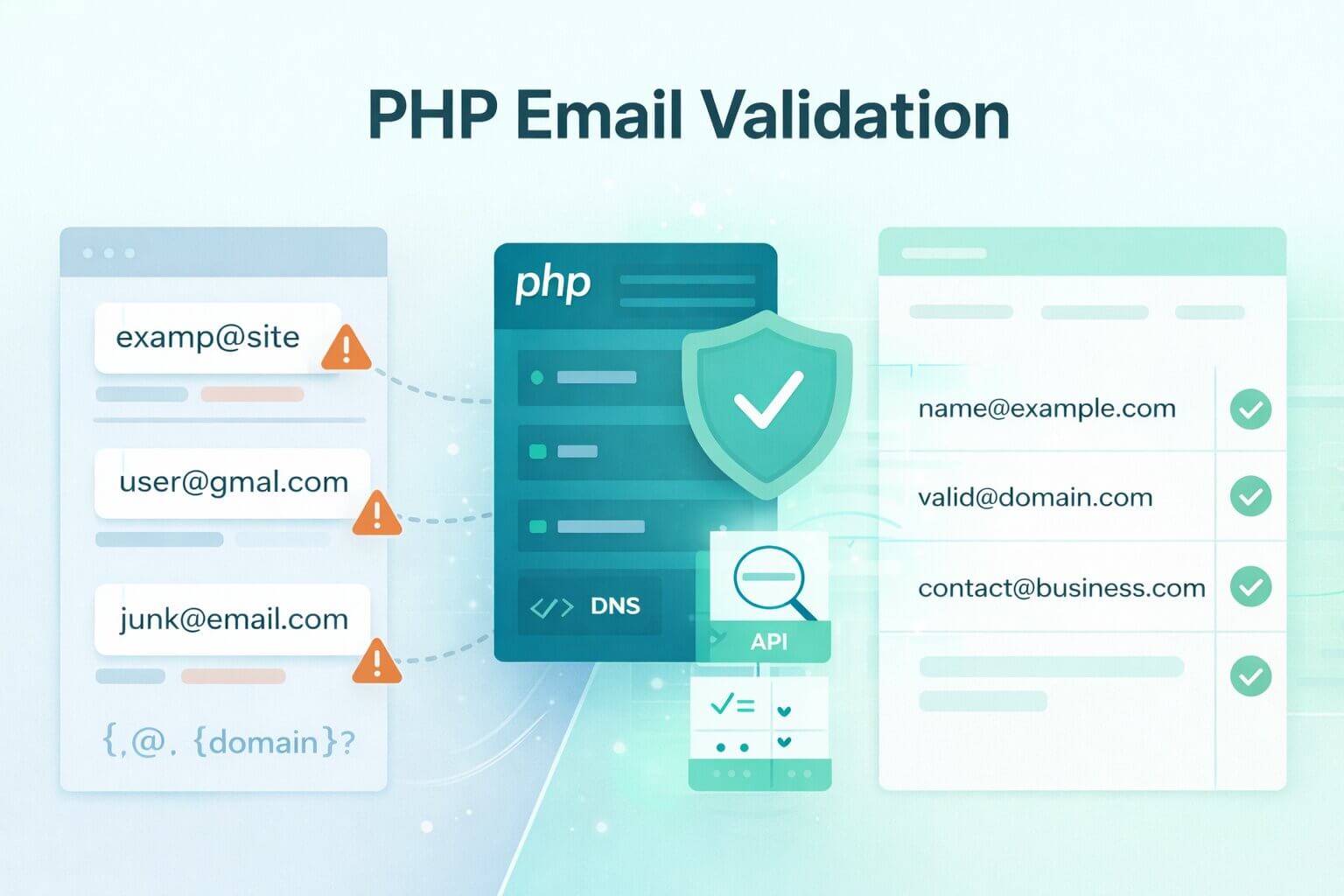
In modern web development, capturing a clean email address is the first line of defense for your application’s data integrity. Developers often search for PHP email validation examples to solve three immediate problems: stopping obvious "junk" signups, reducing user typos at the point of entry, and preventing malicious bot submissions. However, a single line of code is rarely enough to protect a scaling database or a sensitive sending reputation.
This guide explores a layered approach to handling email data in PHP, moving from native syntax filters to advanced domain checks and real-time verification. We will examine how to implement robust backend checks that balance strict data rules with a seamless user experience. Whether you are building a simple contact form or a high-volume enterprise signup flow, understanding the difference between a "valid format" and a "deliverable mailbox" is critical.
By the end of this article, you will know how to construct a validation pipeline that stops bad data at the door while identifying complex cases like catch-all servers and disposable providers. We will provide practical code patterns and decision frameworks to help you decide when native PHP functions are sufficient and when your application requires a deeper verification layer to ensure long-term deliverability.
TL;DR: In modern PHP development, relying solely on basic syntax filters like filter_var() or regular expressions (regex) creates a dangerous false sense of security for your database. While native PHP validation is necessary for catching obvious user typos and formatting errors at the point of entry, it cannot confirm whether a mailbox actually exists, leaving your application vulnerable to disposable domains, silent catch-all servers, and inevitable hard bounces. To protect your domain's sending reputation and ensure data integrity, developers must build a layered backend pipeline. This means executing fast, synchronous syntax and DNS (MX record) checks to filter out immediate junk, followed by asynchronous, API-driven verification—using platforms like Allegrow—to definitively resolve ambiguous catch-all addresses and block sophisticated bot submissions before they corrupt your CRM.
What does email validation in PHP actually mean?
In the context of PHP development, PHP validation refers to the process of checking if an input string conforms to the expected format of an email address. This typically involves using native functions to ensure the string contains an "@" symbol, a valid domain, and no illegal characters. Validation acts as a filter for "input quality," ensuring that the data being written to your database is structured correctly and free of obvious junk.
It is critical to distinguish this from email verification, which focuses on "deliverability." While format validation confirms that an address looks correct, verification uses external signals to confirm the mailbox actually exists and is safe to contact. Verification identifies high-risk factors such as temporary disposable addresses, role-based accounts (like info@ or support@), and the specific risk profiles of catch-all servers.
The decision rule for your application is straightforward: use validation to block obvious garbage and improve user experience during signup. However, if your goal is to reduce bounce rates or protect your sending reputation, you must implement a verification layer. For a deeper dive into these deliverability-oriented signals, you can read our complete guide on email verification.
Which email validation method should you use in PHP?
Not every PHP application requires the same level of scrutiny for email inputs. The method you choose should depend on where the data is coming from and the cost of a "false positive"—where a valid user is accidentally blocked. A simple contact form has different requirements than a high-volume enterprise signup flow or a legacy database migration.
For basic user experience feedback, native syntax checks are often sufficient to catch typos in real-time. However, if you are managing internal tools or bulk data imports, you may need a more aggressive policy that includes domain verification to prevent "fake" signups from cluttering your CRM. The goal is to match the rigor of your validation to the risk associated with the data.
When accuracy is paramount, such as in lead generation or transactional systems, you should move beyond native PHP functions. This is where an email verification service becomes necessary, allowing you to detect disposable domains or classify catch-all addresses.
How do you validate an email in PHP with filter_var?
The most straightforward way to check an email's format in PHP is using the filter_var() function with the FILTER_VALIDATE_EMAIL flag. According to the official PHP manual, this filter strictly validates against the RFC 822 syntax standard. It is highly efficient and should be your first line of defense for real-time form validation, though it only confirms structural integrity, not mailbox existence.
How do you sanitize email input safely before validating?
Before running a validation check, you may want to clean the input using FILTER_SANITIZE_EMAIL. This removes all characters except letters, digits, and specific symbols like !#$%&'*+-/=?^_{|}~@.[].` However, you must use this carefully because sanitizing can occasionally change a user's intent—such as removing a character that was actually part of a valid, albeit unusual, address.
In most modern applications, it is better to reject an obviously malformed email and ask the user to correct it rather than sanitizing it into a "valid-looking" string that might be incorrect. This ensures that the data in your database is exactly what the user intended to provide.
How should you return helpful error messages to users?
When a validation check fails, the feedback should be human-centric. Instead of a generic "Invalid Input," provide specific guidance like "Please check for typos in your email address" or "This email format is not recognized." Logging these invalid attempts on the backend is also a best practice, as it helps you identify potential bot attacks or recurring UX friction points in your signup flow.
How do you validate emails in PHP with regex without breaking real emails?
Regular Expressions (regex) should be used in PHP for enforcing policy checks rather than trying to replicate the full complexity of email RFC standards. For example, you might use preg_match to ensure a user is signing up with a corporate domain or to block specific disposable email providers. The official IETF specification (RFC 5322) permits highly complex localized formats, including quoted strings and plus-sign sub-addressing. However attempting to write a "perfect" regex that handles every edge case often leads to "overfitting," where valid addresses with plus signs (+) or newer Top-Level Domains (TLDs) are incorrectly rejected.
What is a practical regex pattern that works for most apps?
For most PHP applications, a readable baseline pattern is more valuable than a 500-character string of symbols. A practical pattern looks for a string of characters, an @ symbol, and a domain with at least one dot. This provides a "sanity check" that catches the vast majority of user errors without accidentally blocking legitimate, non-traditional email formats.
How do you enforce rules like allowed domains or blocked providers?
You can use regex to apply specific business logic, such as an allowlist for internal employees or a denylist for known temporary email services. By storing these patterns in an array and iterating through them, you keep your code maintainable and easy to update as your "blocked" list grows. This allows you to reject a @temp-mail.org address at the point of entry before it ever hits your database.
How do you test and maintain your regex over time?
Testing is essential to ensure your regex doesn't become a bottleneck for growth. We recommend maintaining a suite of test cases that include valid but unusual addresses (e.g., user.name+tag@sub.domain.co.uk) and ensuring your CI/CD pipeline flags any changes that would break them. The goal is to keep your regex "loose" enough for global users but "tight" enough to enforce your specific business requirements.
How do you validate the domain in PHP with DNS checks?
Once an email passes syntax validation, the next logical step is to verify that the domain part of the address is configured to receive mail. In PHP, you can perform a lightweight DNS check using the checkdnsrr() function. This prevents users from signing up with domains that are technically valid in format but have no underlying mail server infrastructure.
How do you check whether a domain can receive mail?
The most common method is to perform an MX (Mail Exchange) lookup. An MX record is a type of DNS record that specifies the mail server responsible for accepting email messages on behalf of a domain. If a domain lacks an MX record, it is highly likely that any email sent to that address will bounce immediately.
However, you should treat these results with a degree of caution. While most modern domains publish MX records, some rely on A records (Address records) as a fallback. A robust PHP script should check for both to avoid "false negatives" where a domain is valid but does not follow the standard MX configuration.
How do you avoid performance issues with DNS checks?
DNS lookups involve an external network request, which can introduce latency and slow down your application’s response time. To maintain a smooth user experience, you should implement strict timeouts on your DNS queries. For high-traffic forms, consider skipping real-time DNS checks for the UI and instead move this logic to a background worker or an asynchronous queue to keep the frontend fast.
When should you switch from PHP validation to full email verification?
The transition from validation to verification occurs when the "cost of a bounce" exceeds the cost of a simple syntax check. If your PHP application is responsible for sending high-value transactional emails, managing a large-scale CRM, or protecting a dedicated IP's reputation, relying on native functions is a high-risk strategy. PHP validation tells you a string could be an email; an email verification tool tells you that a human is actually on the other end.
What results should your verification layer return?
A robust verification layer provides a granular classification of each verified address. Instead of a simple true/false, your PHP backend should receive a response that categorizes the email as Valid or Invalid, with sub statuses that indicate if it is a disposable, role-based, spam trap or a catch-all contact. This level of detail allows you to make strategic decisions—such as allowing a "Role-based" address (info@) for a contact form but blocking it for a high-value webinar registration.
How should you handle catch-all results in your app?
Catch-all servers are one of the most complex challenges in verification because they technically "accept" all mail, making them appear valid to standard SMTP pings. To protect your deliverability, you need a service that can distinguish between a "Valid" catch-all and a "Invalid" dead one. To verify catch-all emails, it is generally required an infrastructure that goes beyond STMP and DNS checks to identify external signals that allow for a more conclusive valid/invalid outcome instead of just classifying that email as catch-all, which is exactly what Allegrow does.
How do you implement a layered PHP email validation flow?
A secure validation pipeline ensures that your application remains fast while maintaining high data quality. By structuring your code in layers, you can reject obvious "junk" instantly at the syntax level before committing the resources required for deeper DNS or API-based verification.
What should you store in your database after validation?
Your database should reflect the "provenance" of an email address. We recommend storing the normalized version of the email (all lowercase, trimmed of whitespace) along with a validation status and a timestamp. Storing metadata—such as whether the address was flagged as a "catch-all" or "disposable"—allows your sales and marketing teams to prioritize high-value leads over lower-quality signups.
How do you prevent repeated API calls for the same email?
To maintain performance and manage API costs, you must implement a caching layer. Before initiating an external verification call, your PHP script should check a local cache (like Redis or a simple database table) using an email hash as the key. If the email has been verified recently within a specific Time-to-Live (TTL), you can reuse the previous result instead of performing a fresh, redundant lookup.
How do you validate emails in bulk in PHP without risking your system?
Running bulk validation directly in a web request is a recipe for a 504 Gateway Timeout. When cleaning a legacy database or importing a large CSV, your PHP environment must handle the workload asynchronously. This ensures that a single slow DNS lookup or API response doesn't hang your entire application.
How do you run bulk checks with queues or cron jobs?
The standard approach is to use a queueing system like Laravel's Queue or a dedicated supervisor-managed worker. By breaking your bulk list into smaller "batches" (e.g., 50–100 emails at a time), you can process records in the background without spiking CPU usage. For simpler setups, a scheduled Cron job can pull unvalidated records from your database and process them in a controlled loop.
What are common PHP email validation mistakes that cause bad data?
Even experienced developers can fall into traps that compromise data quality. In the PHP ecosystem, these mistakes usually stem from trying to be too clever with native functions or failing to account for the "human" element of data entry.
- Over-strict Regex Patterns: Using a regex that doesn't account for newer TLDs (like .marketing or .tech) or the use of plus-sign sub-addressing (user+tag@domain.com). This results in high abandonment rates from valid users who are technically compliant but fail a narrow code check.
- Ignoring Internationalized Domain Names (IDNs): Many native PHP filters and basic regex patterns struggle with non-ASCII characters. If your business has a global audience, failing to use idn_to_ascii() before validation can result in you rejecting perfectly valid customers from regions using non-Latin scripts.
- Sanitizing into "Valid-Looking" Junk: Using FILTER_SANITIZE_EMAIL aggressively can strip characters that were critical to the address. You end up with a "valid" string in your database that will never receive an email because it no longer matches the user's actual mailbox.
- Skipping Normalization: Failing to trim() whitespace or convert input to lowercase before storage. This leads to duplicate records and authentication failures in your login systems, as User@Example.com and user@example.com are technically the same but may be treated as distinct in a non-normalized database.
- No Caching for DNS or API Checks: Performing a fresh MX lookup or verification call every time a record is touched. This creates unnecessary latency and can lead to your server being rate-limited by DNS providers, slowing down your entire signup flow.
Conclusion: Building a Resilient Validation Pipeline
PHP email validation is not a "set it and forget it" task. To build a truly secure backend, you must move beyond the single-function approach and implement a layered pipeline that balances user experience with data integrity. By combining native syntax filters, strategic regex policy checks, and lightweight DNS lookups, you can filter out the vast majority of junk data before it ever touches your database.
Ultimately, the goal of PHP validation is to protect your infrastructure, while the goal of an email verification tool is to protect your reputation. When you bridge these two disciplines, you ensure that every email in your database represents a real opportunity for engagement rather than a delivery risk. By accounting for modern complexities like internationalized domains and catch-all servers, you transform a simple input field into a high-fidelity gateway for your business.
If you’re ready to move beyond basic syntax checks and want to identify the high-risk contacts behind catch-all servers that native PHP code misses, Allegrow is here to help. Our platform provides the conclusive signals needed to navigate complex enterprise environments that standard scripts cannot reach.
Protect your sending reputation today. Start your 14-Day Free Trial to verify up to 1,000 enterprise contacts and see exactly what's happening behind the scenes of your email infrastructure.
FAQs about PHP email validation
Is filter_var enough?
For basic syntax checking on a simple contact form, filter_var is an excellent starting point. However, it cannot tell you if the mailbox exists or if the domain is a temporary disposable service, which is why a second layer of verification is needed for business-critical apps.
Should I use regex or not?
Use regex for policy enforcement (like blocking specific domains or enforcing corporate signups) rather than syntax validation. Let PHP’s native filters handle the format, and use preg_match to handle your specific business rules.
Should I check MX records?
Yes, checking MX records via checkdnsrr() is a low-cost way to ensure a domain is at least configured to receive mail. It is a powerful middle-layer check that prevents signups from domains that have no mail infrastructure.
How do I handle catch-all domains?
Catch-all domains should be tagged in your database so your team knows they are "risky." While they technically pass a validation check, you should use a verification tool if you’d like to determine if the specific address is truly valid or high-risk.