If you have ever faced a sudden spike in email bounces or a "Service Unavailable" error that stalled your outbound engine, you have likely encountered the raw language of the internet: SMTP commands. While modern email platforms abstract these interactions away, understanding the underlying conversation between a sender and a receiver is the only way to diagnose deep deliverability failures.
This guide provides a definitive map of the Simple Mail Transfer Protocol (SMTP) and its modern extension, ESMTP. We will cover the core command sequence — from the initial handshake to session termination — alongside the numeric response codes that dictate whether your message is accepted, deferred, or permanently rejected.
By the end of this guide, you will be able to interpret real session transcripts and understand how to navigate the specific infrastructure challenges of 2026. Whether you are a developer building an API or a GTM leader investigating a reputation drop, mastering these protocol-level signals is essential for maintaining high-confidence email delivery.
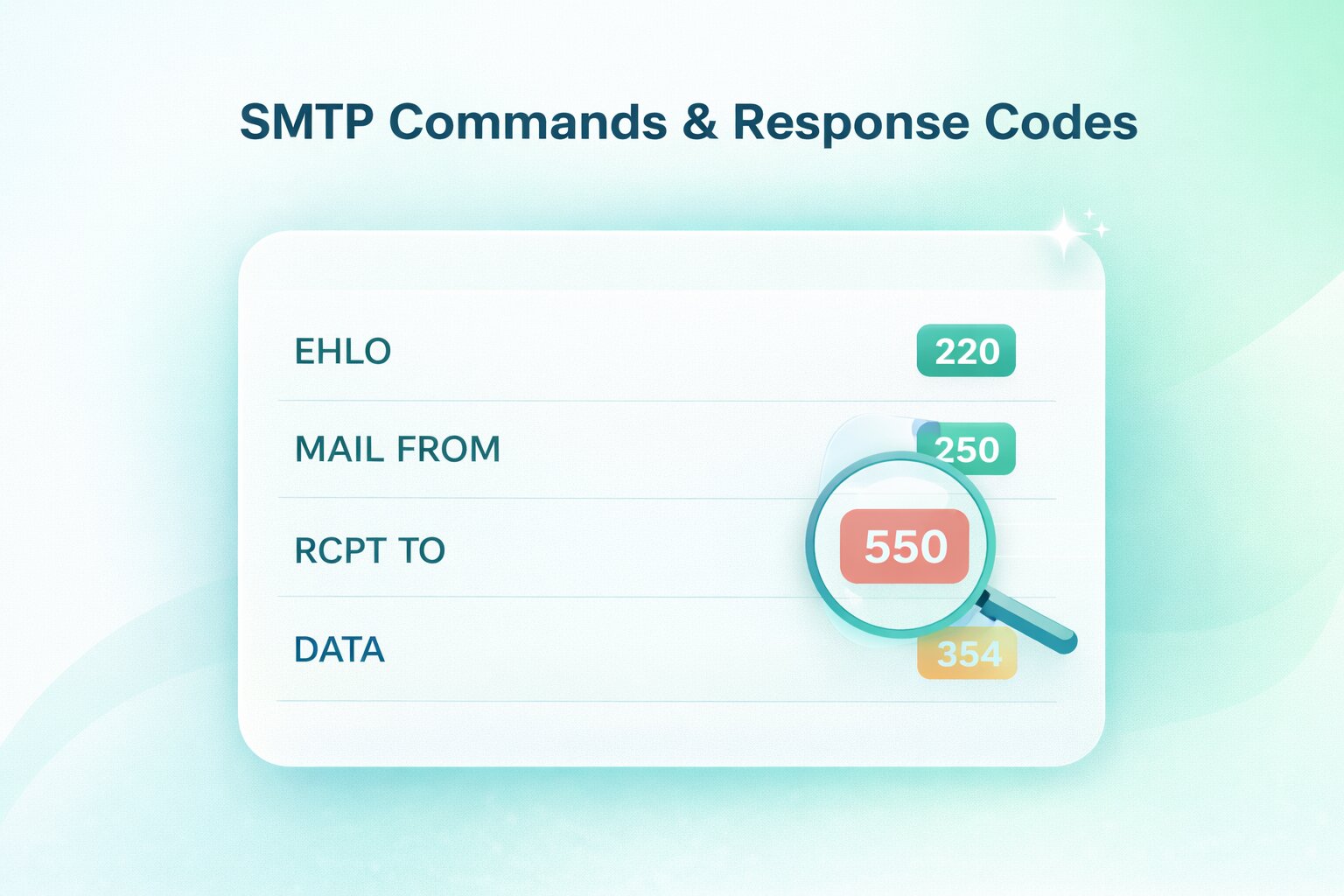
TL;DR: SMTP (Simple Mail Transfer Protocol) and its modern, secure extension (ESMTP) form the foundational request-response language that servers use to route email across the internet. An email transaction must follow a strict linear sequence: initiating the handshake (EHLO), identifying the sender and recipient (MAIL FROM, RCPT TO), transmitting the payload (DATA), and gracefully closing the connection (QUIT). By understanding this sequence and reading the server's numeric response codes — where 2xx indicates success, 4xx signals a temporary throttle or soft bounce, and 5xx represents a permanent hard bounce or policy block — developers and data providers can bypass high-level marketing dashboards and diagnose the exact root cause of any deliverability failure directly from the raw server logs.
What are SMTP commands?
SMTP commands are the text-based instructions a mail client sends to an SMTP server to initiate and manage a message transfer. You can think of this as a structured "conversation" where each party must follow a specific sequence of prompts to ensure the data is moved securely from one point to another.
This protocol follows a request-response model. The client issues a command (such as MAIL FROM), and the server replies with a three-digit numeric response code (such as 250) to indicate if the command was successful. This constant feedback loop is what allows systems to determine if a recipient exists or if a connection should be terminated due to a security violation.
It is also important to distinguish between transfer and retrieval. While SMTP (Simple Mail Transfer Protocol) is dedicated solely to sending or relaying messages, protocols like IMAP and POP are responsible for the retrieval of mail once it has reached the destination server. SMTP handles the journey; the other protocols handle the storage and access.
What is SMTP and why does it exist?
SMTP is the universal standard for moving digital correspondence across the internet. Its primary job is to provide a reliable method for the "hand-off" of a message from the sender’s system to the recipient’s mail server. Without this standardized protocol, different email providers would be unable to communicate, effectively siloing communication within single networks.
The protocol functions at different stages of the email lifecycle. It begins with submission, where your mail client (like Outlook or an API) sends the message to your outgoing mail server. From there, it moves into the relay phase, where servers communicate with one another to route the message toward its final destination.
Finally, the protocol manages the delivery to the recipient’s server, which then holds the message for the user to download. This "store-and-forward" logic ensures that even if a recipient’s computer is offline, the message remains safely queued on a server until it can be retrieved.
What is ESMTP and what changed from SMTP?
Extended SMTP (ESMTP) is the modern upgrade to the original 1982 protocol. While the core of email transmission remains the same, ESMTP was introduced to support the security and performance requirements of the modern internet — specifically authentication, encryption, and larger message handling.
The most visible change is the handshake. In the original SMTP, a client introduced itself with the HELO command. As defined by the IETF in RFC 5321, modern ESMTP clients must use EHLO (Extended HELO), which signals to the server that it supports advanced extensions. If the server is also ESMTP-compliant, it will respond with a list of supported capabilities, such as AUTH for login, STARTTLS for encryption, and SIZE to declare maximum message limits.
This capability discovery is critical for deliverability. By negotiating these extensions during the greeting, a sender can determine — before transmitting a single byte of the message — whether the recipient's server can handle a specific attachment size or requires a secure, encrypted connection. This prevents the "blind sending" that characterized the early days of the protocol and reduces the likelihood of avoidable bounces.
Who actually needs to know SMTP commands?
While high-level marketing tools often hide the mechanics of email, understanding SMTP commands is a critical requirement for those responsible for technical infrastructure and data accuracy. When an email fails to arrive, the SMTP log is the only place to find the "ground truth" of the transaction.
Developers and IT Administrators
Developers building custom applications or API integrations need to understand the SMTP handshake to ensure their code handles server responses correctly. Similarly, IT admins managing internal mail servers or relay services use these commands to troubleshoot connectivity issues, verify authentication flow, and audit security logs for unauthorized access.
Deliverability and GTM Leaders
For those managing large-scale outreach, SMTP knowledge is the difference between a minor delay and a total domain block. Deliverability operators use these signals to diagnose whether a bounce is due to a policy rejection (like a blacklist) or a technical misconfiguration (like a failed SPF check).
Marketers and Data Providers
Even for non-technical roles, understanding "why did this bounce?" is essential for list hygiene. By recognizing the difference between a 550 permanent failure and a 421 temporary throttle, marketers can make informed decisions about when to suppress a contact and when to simply retry the send, protecting the long-term health of their data.
How does an SMTP session flow from start to finish?
An SMTP session is a linear sequence that must be executed in order. If a command is sent out of turn — such as trying to send message data before identifying the recipient — the server will return a sequence error and potentially drop the connection.
How the handshake phase works
The session begins with connection establishment. Once the client connects to the server’s port (typically 587 or 25), the server issues a 220 greeting to signal it is ready. The client then responds with an EHLO command, identifying its own domain.
During this phase, the server advertises its supported extensions. This is the "negotiation" period where both systems agree on whether to use encryption via STARTTLS or if the client needs to provide credentials via the AUTH command before moving forward.
How the mail transfer phase works
Once the handshake is validated, the session moves into the transfer phase. This begins with the MAIL FROM command, which establishes the "Return-Path" for bounces. Next, the client issues one or more RCPT TO commands to identify the recipients.
After the recipients are accepted, the client sends the DATA command. The server provides a 354 response, and the client then streams the entire message — including headers and body — ending with a single period on a new line (.). This final period tells the server that the transmission is complete.
How the termination phase work
The final phase is the "clean exit". Once the server confirms receipt of the data with a 250 OK, the client should issue a QUIT command. This signals to the server that the transaction is finished and the connection can be closed gracefully.
Failing to send a QUIT command and simply "dropping" the connection is often viewed as a sign of a poorly configured bot or a compromised system. A clean termination ensures that the server can free up its resources immediately for the next incoming connection.
What are the essential SMTP commands you’ll see most often?
While the SMTP protocol includes dozens of potential commands, a handful do 99% of the heavy lifting. Understanding the nuance of these specific instructions is key to diagnosing why a message might be accepted by a server but still fail to reach the inbox.
How HELO and EHLO start the session
The session always begins with an introduction. HELO is the original SMTP greeting, while EHLO (Extended HELO) is the modern standard for ESMTP. Most modern servers prefer EHLO because it allows the server to advertise support for advanced features like encryption and authentication.
If a server is strictly legacy and doesn't recognize EHLO, it will return a 500 error, signaling the client to fall back to the basic HELO command. In 2026, however, failing to support EHLO is often a red flag for outdated infrastructure.
What does MAIL FROM do and what is the reverse-path?
The MAIL FROM command identifies the sender of the message to the server. This is technically known as the Envelope Sender or the Reverse-Path.
It is important to note that the address used in MAIL FROM is what the receiving server uses to send "Non-Delivery Reports" (bounces). This address can be different from the "From:" address seen by the end user in their mail client, which is part of the message headers sent later during the DATA phase.
What does RCPT TO do and how do multiple recipients work?
The RCPT TO command identifies the recipient. If you are sending a message to multiple people, the client will issue a separate RCPT TO command for each address.
A unique feature of this phase is that a server can accept some recipients while rejecting others. For example, the server might return a 250 OK for an internal employee but a 550 User Not Found for a former staff member, all within the same session.
What does DATA do and how is message content transmitted?
Once the recipients are confirmed, the DATA command tells the server you are ready to send the actual message. After the server responds with a 354 code, the client sends the subject, headers, and body.
Conceptually, DATA is a "bulk" transmission phase. To signal the end of the message, the client sends a single period on a line by itself (.). Only after the server receives this period does it officially "take delivery" of the email and assign it a Queue ID for further processing.
What do RSET, NOOP, HELP, and QUIT do?
These "utility" commands manage the state of the connection without moving mail:
- RSET (Reset): Clears the current transaction (recipients, sender) but keeps the connection open. Use this if you make a mistake and want to start over without reconnecting.
- NOOP (No Operation): A "heartbeat" command used to check if the server is still responsive and prevent a timeout.
- HELP: Queries the server for a list of supported commands (rarely used by modern clients but helpful for manual debugging).
- QUIT: The only graceful way to end a session. It tells the server to close the connection and clean up resources.
What do VRFY and EXPN do and why are they often disabled?
VRFY is used to verify if a specific mailbox exists, while EXPN is used to "expand" a mailing list to see its members. While these sound useful, they are almost universally disabled on public-facing enterprise servers.
Blacklist operators and spammers used these commands for "directory harvest attacks" to find valid email addresses. Today, most servers will return a 252 code or a generic "Access Denied" to keep their user lists private.
Which extended SMTP commands matter for modern email sending?
The original SMTP protocol was designed for a trusted, academic network. In today’s enterprise environment, the protocol relies on extensions to handle encryption and identity. These extended commands are only available if the server advertises them during the initial EHLO handshake.
How STARTTLS secures the session
Historically, SMTP was a "plaintext" protocol, meaning anyone sitting on the network could read your email. The STARTTLS command solves this by upgrading an existing insecure connection to a secure one using TLS (Transport Layer Security).
When a client issues STARTTLS, the server responds with a 220 Ready to start TLS signal. At this point, the entire session state is reset, and the systems perform a cryptographic handshake. If you are sending sensitive B2B data, STARTTLS is not just an option; it is a mandatory requirement for domain reputation and compliance.
How AUTH authenticate the client
In the early days of the web, anyone could use any mail server to send mail — a practice known as "open relaying". Today, the AUTH command is the gatekeeper. It allows the client to present credentials (using mechanisms like PLAIN, LOGIN, or XOAUTH2) to prove they have permission to send mail through the server.
If your application fails to send the AUTH command when the server requires it, you will receive a 530 Authentication Required error. This is a primary defense mechanism against botnets attempting to hijack legitimate business servers to send spam.
When should you use BDAT instead of DATA?
While DATA is the universal standard for sending message content, it has a significant inefficiency: the client must scan the entire message for a single period (.) to signal the end. The BDAT (Binary Data) command, part of the CHUNKING extension, allows the client to declare the exact size of the data "chunk" in bytes.
By defining the data size upfront, BDAT eliminates the need for the server to scan every byte of the message content for an end-of-file marker. This reduces CPU overhead on high-volume servers and is particularly useful for sending large attachments or non-text binary data.
What do ETRN and ATRN relate to?
These commands are remnants of a time when internet connections were not always "always-on". ETRN allows a client to request that a server start processing its mail queue for a specific domain. ATRN (Authenticated Turn) is a more secure version that allows the server and client to "swap roles" during a session.
In 2026, these are rarely used by modern GTM teams or developers. You may only encounter them if you are managing legacy "on-premise" mail servers or specialized industrial relay systems.
What are private-use SMTP commands and when do they appear?
While the Internet Engineering Task Force (IETF) standardizes most SMTP commands, the protocol allows for "X-" commands. These are private-use or proprietary commands that start with the letter X to signify they are non-standard. They are typically used when two systems have a specific, pre-arranged agreement on how to handle data.
You might see these when working with specialized security appliances or internal corporate relays. For example, a server might use a command like X-PROXY-AUTH to pass authentication details between an edge gateway and an internal mail server. Because they are not standardized, their documentation varies wildly and is usually only available through the specific vendor’s technical manual.
Which SMTP commands are obsolete and why were they removed?
As the internet evolved from a small network of trusted researchers to a global infrastructure, several original SMTP commands became security liabilities. Most were removed because they lacked authentication or were superseded by more efficient, secure extensions.
- SEND, SOML, and SAML: These were original 1982 commands used to send a message directly to a user's terminal (like an instant message) rather than their mailbox. They became obsolete as email moved toward the "store-and-forward" mailbox model.
- TURN: This allowed the client and server to switch roles during a session. It was removed because it lacked any form of security; anyone could connect to a server and "turn" the session to steal the mail queue. It was eventually replaced by the much more secure ATRN.
- ONEX: This was a proprietary command used to send a single message to multiple recipients more efficiently. It was phased out in favor of the standard RCPT TO sequence which provided better per-recipient error reporting.
The removal of these commands was a necessary step in hardening the protocol against the spam and spoofing attacks that define the modern threat landscape.
What are SMTP response codes and how should you interpret them?
Every SMTP command triggers a numeric response from the server. These three-digit codes are designed for machine readability, allowing your mail server or application to make split-second decisions on whether to retry a message or drop it entirely.
What do 2xx, 3xx, 4xx, and 5xx mean?
The most important part of the code is the first digit, which categorizes the "state" of your request. Think of this as the fastest signal for determining your next operational move:
- 2xx (Success): The server has understood and accepted the command. You are clear to proceed to the next step of the handshake.
- 3xx (Intermediate): The command was accepted, but the server is waiting for more information (most commonly seen after the DATA command).
- 4xx (Temporary Failure): Something went wrong, but it might work later. This signals your system to "retry" the message after a delay.
- 5xx (Permanent Failure): The request was rejected and will never work. Do not retry; you must fix the root cause or remove the recipient.
What are enhanced status codes and why do they matter?
While a 550 code tells you a message failed, it doesn't always tell you why. Modern servers include Enhanced Status Codes (defined in RFC 3463), which appear as a sequence of three numbers separated by dots, such as 5.7.1.
These codes add a layer of specificity that the original 1982 protocol lacked. For example, a 5.1.1 code specifically points to a "Bad Destination Mailbox Address", while a 5.7.1 code indicates a "Permanent Policy Rejection" — meaning your authentication (SPF/DKIM) failed or your IP is blacklisted. For a deliverability operator, these enhanced codes are the primary tool for diagnosing the "why" behind a bounce.
The most common response codes you will see
While there are dozens of codes, these are the ones you will encounter in 90% of your delivery logs:
How do SMTP commands and response codes map to common deliverability failures?
A deliverability failure is simply an SMTP conversation that didn't reach a successful 221 closing. By analyzing the point at which the conversation broke down, you can determine if the issue lies with your data, your infrastructure, or your reputation.
What does a typical hard bounce look like at the protocol level?
A hard bounce is represented by a 5xx permanent failure. At the protocol level, this usually occurs immediately after the RCPT TO command. The server identifies that the mailbox does not exist (550 5.1.1) or that your domain has been blacklisted (550 5.7.1).
From an operational standpoint, a hard bounce is a terminal signal. You must suppress these addresses immediately. Continuing to send to a "5.1.1" address signals to ISPs that you have poor list hygiene, which quickly leads to your entire domain being throttled.
What does a typical soft bounce look like at the protocol level?
Soft bounces appear as 4xx temporary failures. You might see a 451 or 452 code, often accompanied by a message like "Insufficient system storage" or "Too many connections". This indicates the recipient's server is currently unable to accept the mail but may be able to later.
A common soft bounce tactic used by ISPs is Greylisting. The server will intentionally return a 4xx error to an unknown sender, expecting a legitimate mail server to retry after a few minutes. Spambots rarely retry, so this protocol-level hurdle effectively filters out low-quality traffic.
How do syntax and sequencing mistakes show up?
Developer errors often trigger 500 to 504 codes. These occur when commands are sent out of order — for example, attempting to send DATA before a MAIL FROM has been established.
These failures are often a sign of a poorly configured SMTP library or an API integration that doesn't wait for the server's acknowledgment before sending the next instruction. In these cases, the "deliverability" issue isn't your reputation; it is the logic of your code.
What are the most common SMTP ports and what should you know about them?
Choosing the right port is a balance between security and compatibility. While the protocol remains the same, the port you use determines how the connection is encrypted and authenticated.
- Port 25 (Relay): This is the original SMTP port. Today, it is used almost exclusively for server-to-server relaying. Most residential and cloud ISPs (like AWS) block outbound traffic on Port 25 to prevent spambots from sending mail directly from compromised machines.
- Port 587 (Submission): This is the modern standard for mail submission. It is used by mail clients and APIs to send mail to an outgoing server. It almost always requires the STARTTLS command to ensure the session is encrypted.
- Port 465 (SMTPS): Originally intended for SMTP over SSL, this port was technically deprecated but remains in wide use. Unlike Port 587, which "upgrades" to a secure connection, Port 465 establishes the secure connection immediately upon contact.
You can dive into more detail into each one by reading our complete deliverability guide to the best SMTP ports.
Conclusion
Mastering SMTP commands and response codes is about more than just reading server logs; it is about gaining full visibility into the health of your revenue engine. When you understand the specific handshake signals — from the nuances of an EHLO greeting to the finality of a 550 error — you move from reactive troubleshooting to proactive infrastructure management. In an era where enterprise security gateways are more aggressive than ever, relying on "black box" email tools is a risk that GTM and data provider teams can no longer afford to take.
This technical clarity is the foundation of high-performance data hygiene. By accurately interpreting how servers respond to your outreach, you can distinguish between temporary network friction and the terminal data decay that leads to permanent domain damage. Treating your email protocol as a high-value asset ensures that your primary executive targets are reached, your infrastructure remains secure, and your sending reputation stays pristine in the eyes of major ISPs.
At Allegrow, we take this protocol-level intelligence and automate the heavy lifting for you. Our platform moves beyond basic SMTP pings to provide conclusive status for the world’s most difficult B2B environments, resolving catch-all ambiguity and identifying primary inboxes where others only see "unknowns".
Start your 14-Day Free Trial to verify up to 1,000 enterprise contacts with conclusive "Valid" or "Invalid" statuses, and see exactly what's happening behind the scenes of your email infrastructure.
FAQs
What is the difference between HELO and EHLO?
HELO is the original command used in the 1982 SMTP protocol to identify the client to the server. EHLO is the modern version used in Extended SMTP (ESMTP) that allows the server to advertise support for advanced features like STARTTLS and AUTH.
Why does a server accept RCPT then bounce later?
A server may return a 250 OK for the RCPT TO command if the address is syntactically correct, but it doesn't always check the mailbox's actual status in real-time. The "bounce" happens later if the internal delivery agent finds the mailbox is full, disabled, or non-existent after the SMTP session has already closed.
What is the difference between DATA and BDAT?
The DATA command requires the server to scan every line of the message for a single period (.) to signal the end of the transmission. BDAT (Binary Data) is more efficient for high-volume sending because the client declares the exact byte size of the message upfront, eliminating the need for the server to scan the content.
What does 550 mean in plain English?
In plain English, a 550 error means "I cannot deliver this message, and I'm not going to try again." This usually happens because the recipient's email address doesn't exist or because the server's security policy has blocked your domain or IP address.
When should I treat a 4xx as a retry versus a stop?
You should treat a 4xx code as a "retry" when the error message mentions temporary issues like "mailbox full," "greylisting," or "connection throttling." However, if you see persistent 4xx errors over several days from the same domain, it should be treated as a "stop" to prevent your reputation from being flagged as a "noisy" sender.