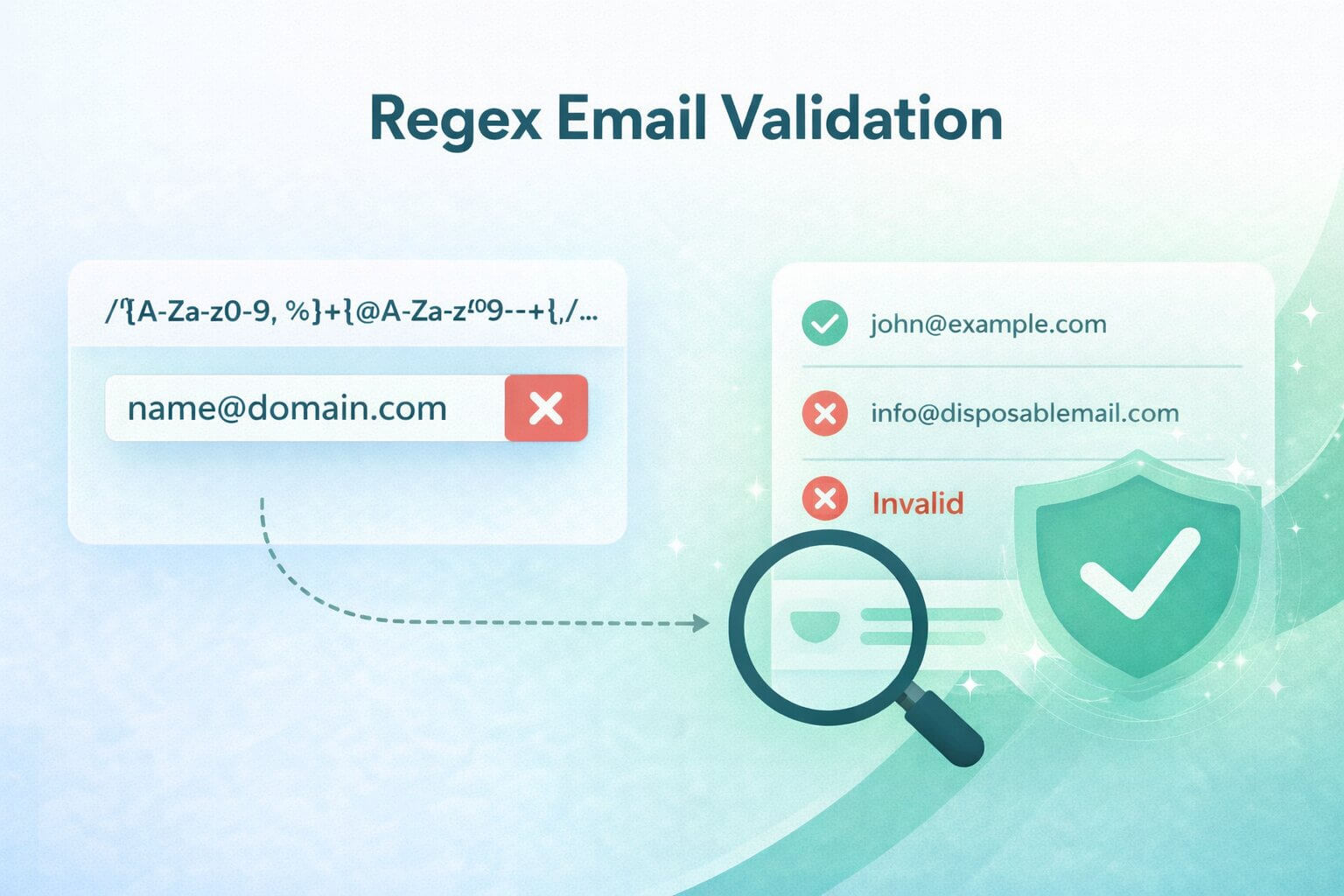
Email fields look simple, but there’s more that lies beneath the surface. What appears to be a single text input is actually the front door to your database, your CRM, and in many cases, your revenue engine. A small validation mistake at this stage can ripple outward into bounced campaigns, skewed analytics, and damaged sender reputation.
Regex email validation can catch obvious typos in milliseconds. It can stop “gmal.com” and “name@@domain” before they ever hit your database. But the idea of building a perfect RFC email regex is a trap that leads to unreadable patterns, false rejections, and frustrated users. The real goal is not perfection, but building a reasonable, maintainable guardrail that reduces syntax risk without hurting real users.
In this guide, you’ll learn what regex email validation can realistically achieve, a reasonable baseline pattern most teams should start with, how to adjust strictness without breaking real emails, and how to test safely across real inputs. We’ll also connect syntax validation to the bigger deliverability picture, especially for B2B teams where a single invalid address can distort metrics or damage sender reputation.
TL;DR: Attempting to build a "perfect" regex email validation pattern that strictly enforces every edge case of the RFC specification is a trap; it inevitably leads to unreadable code, catastrophic performance bottlenecks, and the silent rejection of legitimate business emails (like subdomains or modern TLDs). The true purpose of regex is simply to act as a lightweight, first-line structural filter—catching obvious typos like consecutive dots or missing "@" symbols at the point of entry. However, syntax validation cannot prove that a mailbox actually exists or is safe to contact. If your B2B revenue engine relies exclusively on regex, your database will still fill with perfectly formatted but inactive inboxes, disposable domains, and catch-all spam traps. To protect your deliverability, developers must implement a readable, maintainable baseline regex for immediate UX feedback, and then layer on a dedicated verification API like Allegrow to conclusively prove the operational state of the inbox.
What “regex email validation” can and can’t do
Regex email validation checks syntax patterns and verifies that an input string looks like an email address based on certain defined rules. It cannot prove that the mailbox exists, that the domain accepts mail, or that the inbox is monitored.
This distinction matters. As Colin McDonnell explains in his widely cited piece on reasonable email regex, the goal is not to implement the entire RFC specification but to enforce a practical subset that matches real-world usage while staying maintainable.
Your goal should be simple: to catch common input errors early, keep the rules predictable, and avoid blocking valid users with unusual but legitimate addresses. Regex is your first filter, not your final authority.
Why email regex is harder than it looks
Email formats allow more edge cases than most signup forms should support. The current internet standard, RFC 5322, technically permits quoted local parts, comments, unusual punctuation, and internationalized characters. Trying to capture all of that in a single regex pattern quickly explodes complexity and makes your code unmaintainable.
Many articles showcase extremely long RFC-compliant patterns. For example, this Medium article on the best regex for email verification shows how quickly patterns become unreadable when attempting full compliance.
There is a tradeoff, though: stricter regex reduces junk but increases false rejections, while looser regex accepts more real emails but also more garbage. For most B2B applications, the right answer is not maximal strictness but predictable, explainable validation that pairs with downstream verification.
The “reasonable” email regex most teams should start with
Most production systems do not need to support every RFC edge case. They need to support common formats like plus-addressing, subdomains, and modern TLDs. However, they should reject obvious structural errors like consecutive dots or malformed domains.
A practical baseline regex looks like this: ^(?!\\.)(?!.*\\.\\.)([A-Za-z0-9_'+\\-.]*)[A-Za-z0-9_'+\\-]@([A-Za-z0-9](?:[A-Za-z0-9-]{0,61}[A-Za-z0-9])?\\.)+[A-Za-z]{2,}$. This pattern is similar in spirit to examples shared by UI Bakery and GeeksforGeeks, which recommend pragmatic expressions for common use cases rather than full RFC coverage. Let’s break it down so you can adapt it safely.
The local part allows common business formats such as first.last, name+tag, and other ordinary corporate variations. The domain side requires one or more dot-separated labels, which means addresses such as first.last@sub.domain.co are allowed instead of being rejected accidentally.
The @ symbol is explicit and required exactly once by structure. On the domain side, the pattern requires one or more dot-separated labels, with each label starting and ending with an alphanumeric character and allowing hyphens only in the middle. This is what allows subdomains while still rejecting malformed labels such as -domain.com.
The final [A-Za-z]{2,} requires a top-level domain of at least two letters. Importantly, it does not hardcode a 2–4 character limit, so longer modern TLDs are still accepted.
A baseline regex you can actually maintain
The pattern above intentionally does not try to support every RFC edge case, such as quoted local parts, comments, or full internationalized email syntax. If you need to support internationalized addresses, that usually requires Unicode-aware handling and, for email transport, SMTPUTF8 support rather than just a slightly bigger ASCII regex.
That is by design, as overfitting for edge cases that most users never enter adds complexity and increases the risk of performance issues. So, unless you truly need full RFC compliance and have regression tests to support it, stick to a readable baseline and extend carefully.
Examples in real code
Consistency matters more than cleverness. If your frontend and backend use different patterns, you will create confusing user experiences and edge-case bugs.
Always validate server-side, even if you validate client-side. Client-side validation improves UX, while server-side validation protects your system.
JavaScript regex email validation
In most modern applications, JavaScript handles the first layer of validation directly in the browser. This improves user experience by catching formatting errors instantly, before the form is submitted and the page reloads. While client-side validation should never replace server-side checks, it plays an important role in reducing friction and guiding users toward correct input.
Here is a minimal JavaScript example:
const emailRegex =
/^(?!\.)(?!.*\.\.)([A-Za-z0-9_'+\-.]*)[A-Za-z0-9_'+\-]@([A-Za-z0-9](?:[A-Za-z0-9-]{0,61}[A-Za-z0-9])?\.)+[A-Za-z]{2,}$/;
function validateEmail(input) {
const normalized = input.trim();
if (!emailRegex.test(normalized)) {
return { valid: false, error: "Invalid email format." };
}
const [local, domain] = normalized.split("@");
const labels = domain.split(".");
if (local.startsWith(".") || local.endsWith(".") || local.includes("..")) {
return { valid: false, error: "Invalid local part format." };
}
if (labels.some(label => label.startsWith("-") || label.endsWith("-"))) {
return { valid: false, error: "Invalid domain format." };
}
return { valid: true };
}
This example trims whitespace, avoids leading or trailing dots in the local part, and checks basic domain hygiene. You can normalize the domain to lowercase before storage because domain names are case-insensitive. Be more careful about lowercasing the local part automatically: SMTP treats local parts as potentially case-sensitive, even though many providers ignore case in practice.
PHP regex email validation
On the backend, PHP often serves as the final gatekeeper before data is written to your database. Even if you validate emails in the browser, server-side validation is essential because client-side checks can be bypassed. Implementing consistent regex validation in PHP ensures that every email entering your system meets the same structural standard, regardless of how the request was submitted.
In PHP, you can centralize the pattern:
<?php
define(
'EMAIL_REGEX',
'/^(?!\.)(?!.*\.\.)([A-Za-z0-9_\'+\-.]*)[A-Za-z0-9_\'+\-]@([A-Za-z0-9](?:[A-Za-z0-9-]{0,61}[A-Za-z0-9])?\.)+[A-Za-z]{2,}$/'
);
function validate_email($email) {
$email = trim($email);
if (!preg_match(EMAIL_REGEX, $email)) {
return false;
}
return true;
}
?>
Be mindful of delimiters and escaping in preg_match. Decide early whether you want Unicode mode, as adding the u modifier changes behavior for international inputs. Inconsistent delimiter usage across files is a subtle but common pitfall.
Common mistakes that make regex email validation fail
Most production bugs fall into two predictable categories: the regex is either too permissive or too strict, and both extremes quietly create long-term problems.
Overly permissive patterns accept invalid structures such as consecutive dots, missing TLDs, domains that begin with hyphens, or even strings that only vaguely resemble an email address. These mistakes may not break your form immediately, but they pollute your database and increase downstream bounce rates.
On the other hand, overly strict patterns reject legitimate formats that real companies use every day. This creates friction in signup flows, frustrates prospects, and can reduce conversion rates. The real danger is that teams often do not notice these silent rejections until users complain.
The goal is not perfection, it’s balance. A good regex should eliminate obvious garbage while preserving legitimate real-world business email formats.
The classic “looks fine” addresses your regex must allow
Before tightening your pattern, it helps to define what “normal” looks like in modern business environments. Many valid addresses appear unusual at first glance, especially if your regex was written years ago.
Your pattern should allow addresses like name+tag@domain.com, because plus-addressing is a normal real-world format and is accepted by practical validators such as the browser-level email algorithm documented by MDN.
It should also allow formats such as first.last@sub.domain.co. If your regex only allows a single domain label before the TLD, you will silently reject legitimate subdomain-based addresses.
Longer TLDs must also be accepted. Hardcoding {2,4} for TLD length blocks legitimate domains. Modern TLDs frequently exceed four characters, and silently rejecting them can exclude valid corporate contacts without anyone realizing it.
In short, if your regex blocks common corporate formatting patterns, it is not protecting your system. It is introducing unnecessary friction.
The classic “looks fine” addresses your regex must reject
A practical baseline regex should reject multiple @ symbols, consecutive dots such as name..last@domain.com, domain labels that start or end with hyphens, and trailing dots such as name@domain.com. These are exactly the kinds of structural problems that are worth catching early with syntax validation.
Whitespace and illegal characters are equally important to exclude. Even small structural gaps can create long-term data hygiene issues, especially when those records flow into CRMs, enrichment tools, and outbound systems.
How strict should your email regex be for your use case
The right level of strictness depends entirely on context. That is, there is no single universal standard that works for every product or audience.
A public comment form may tolerate looser validation because blocking legitimate users carries a higher cost than accepting occasional junk. An internal admin tool can be stricter because inputs are controlled and users are trained.
A B2B lead capture form sits somewhere in the middle, as it must reduce obvious junk while preserving legitimate decision-makers’ addresses. For most B2B teams, the default recommendation is a reasonable regex combined with additional checks, such as domain validation, MX checks, and disposable detection when risk is high. Regex should handle the structure, and policy decisions should be layered on top.
When to tighten the rules
There are legitimate scenarios where tighter rules make sense. If you operate a corporate-only signup, you may enforce a domain allowlist to ensure only approved companies can register. If abuse or spam submissions are frequent, blocking known disposable domains can significantly improve data quality.
The key principle is modularity: add separate validation layers rather than expanding your regex into an unreadable monster. Syntax validation and policy enforcement should remain distinct so each can evolve independently. This approach keeps your code maintainable and reduces the risk of unintended side effects.
When to loosen the rules
In other cases, relaxing your syntax requirements may be the smarter decision. If you serve international audiences, you may need to support internationalized domain names or Unicode characters in the local part. Blocking valid global users because your regex only supports ASCII can limit growth and damage trust.
If you choose to loosen syntax validation, compensate with downstream verification, such as double opt-in or an email verification API. Syntax alone does not protect deliverability, and relaxing rules without adding safeguards increases risk.
Testing and debugging email regex safely
Regex changes should never be deployed without regression tests, as even small adjustments can introduce subtle side effects.
Maintain a version-controlled test table that includes clear “should pass” and “should fail” examples. That way, every reported bug becomes a new test case. Over time, this collection becomes your internal safety net against accidental regressions.
Online regex testers are useful during development, but your canonical truth must live inside your codebase. A failing automated test is far easier to diagnose than a frustrated customer who cannot sign up.
A small test set you should keep forever
You do not need hundreds of examples, as a focused set of 10 to 20 canonical addresses is enough to cover common edge cases.
Include plus-addressing, subdomains, long TLDs, consecutive dots, missing TLDs, multiple @ symbols, hyphen edge cases, and whitespace variations. Make sure to cover both valid and invalid scenarios.
Treat this list as permanent infrastructure. When someone reports a rejected valid address, add it to the passing set. When spam slips through, add it to the failing set. Over time, your test suite becomes more valuable than the regex itself.
Performance and safety considerations
Regex performance is often overlooked until it becomes a security incident. Complex, nested patterns are highly vulnerable to ReDoS (Regular Expression Denial of Service) attacks. As defined by OWASP, this occurs when an attacker submits a maliciously crafted string that forces the regex engine into catastrophic backtracking, consuming 100% of the CPU and crashing the server. While rare in low-traffic systems, this risk becomes real in high-volume APIs or public forms.
A single malicious or malformed input can spike processing time and impact performance. Simpler patterns paired with additional logical checks are safer than one enormous expression attempting full RFC compliance.
How to avoid regex backtracking traps
Keep your pattern linear and predictable. Avoid nested repetition like (.*)+ or overly broad constructs such as .* that can match nearly anything and force expensive backtracking.
Do not attempt full RFC compliance in a single expression. If your application handles significant traffic, benchmark your regex under load and enforce reasonable input length limits. Email addresses rarely exceed 254 characters, so setting a maximum length is both safe and practical.
Performance is part of correctness. A regex that produces the right answer but occasionally spikes CPU usage or stalls under edge-case input is not truly production-ready. In real systems, correctness includes stability, predictability, and the ability to handle malformed or malicious input without degrading performance.
What to use alongside regex when accuracy matters
Regex is step one, as it reduces obvious syntax errors and improves data hygiene at the point of entry. However, it does not reduce bounce rates or protect sender reputation on its own.
In B2B environments, accuracy directly impacts revenue. As such, invalid addresses distort pipeline metrics, increase bounce rates, and damage deliverability. That’s why syntax checks must be paired with deeper validation if you want reliable outcomes.
Think of regex as a spelling check. It’s both useful and necessary, but it does not confirm whether the mailbox is real or monitored.
Domain and MX checks
Domain validation confirms that the domain exists, while MX validation confirms that it is configured to receive email.
These checks eliminate obvious dead domains and misconfigured records. However, the presence of an MX record does not guarantee that a specific mailbox exists or will accept mail. It only confirms that the server is prepared to receive messages at the domain level. Server-level readiness is useful, but it is not definitive mailbox validation.
Disposable, role-based, and catch-all handling
Disposable domains, role-based addresses such as info@ or admin@, and catch-all domains create different risks.
Disposable addresses often indicate low engagement or temporary signups, and role-based accounts may be monitored inconsistently. As for catch-all domains, they accept all incoming mail, making simple SMTP checks inconclusive.
Start by defining your policy. Will you block disposables entirely, segment role accounts, or accept catch-alls but flag them as higher risk? Once the policy is clear, implement detection as a separate layer rather than overloading your regex. Clarity in policy prevents inconsistent enforcement.
When to use a verification API instead
For high-stakes flows such as paid signups, critical transactional messaging, or high-volume B2B outreach, a verification API becomes essential.
Regex is fast and inexpensive. It runs instantly and catches structural errors before they enter your system. However, it only evaluates format, not mailbox behavior or server response. It cannot tell you whether the inbox exists, whether it will accept mail, or whether it is likely to bounce.
A verification API adds deliverability intelligence on top of syntax validation. It can analyze domain configuration, perform SMTP-level checks, and apply additional signals to determine whether an address is truly reachable. For high-stakes flows, that extra layer is not a luxury. it is risk management.
Conclusion
Regex email validation is about reducing syntax risk, not proving inbox existence. A reasonable, maintainable pattern will solve a percentage of your structural issues without introducing unnecessary complexity.
Start with a clear baseline regex. Adjust strictness based on your audience and abuse profile. Protect correctness with a permanent test set and version control.
If you are serious about reducing bounces in B2B workflows, syntax validation is only the first layer. Pair your regex with high-accuracy verification to ensure that every address you mark as valid truly belongs in your CRM.
If you want to see how your current list performs beyond regex checks, start a 14-day free trial with Allegrow. You can verify up to 1,000 B2B email addresses, including catch-all domains, receive conclusive “Valid” or “Invalid” statuses, and identify spam traps, unmonitored aliases, disposables, and inactive mailboxes.
FAQs about regex email validation
What is the best regex for email validation?
There is no universally “best” regex. A reasonable baseline should support common business formats such as plus-addressing and subdomains while rejecting obvious structural errors like consecutive dots or malformed domain labels. The right choice depends on how strict you need to be, your audience, and your risk tolerance.
Can a regex verify that an email address exists?
No, regex only validates syntax. It cannot confirm whether a mailbox exists or will accept mail. For existence and deliverability checks, you need SMTP-level validation or a verification API.
Why does my regex reject valid emails with plus addressing?
Many patterns forget to include the + symbol in the local part. If your character class excludes +, addresses like name+tag@domain.com will fail. Add + explicitly to your allowed set.
How do I validate international email addresses with regex?
Supporting full internationalized email addresses requires Unicode handling and IDN processing. That’s why many products choose a pragmatic subset and rely on downstream verification for edge cases. Expanding regex support increases complexity and should be paired with a strong test coverage.
Should I validate emails on the client side or server side?
Both. Client-side validation improves user experience by catching obvious mistakes early, while server-side validation must remain the source of truth because client-side checks can be bypassed.
How do I stop disposable emails if regex can’t catch them all?
Use a separate disposable-domain check or a verification service. Disposable detection is a policy decision, not a syntax rule. Trying to block disposables with a giant regex is brittle and ineffective.