If you are shortlisting data enrichment tools, you have probably noticed they all promise the same thing: more complete records, bigger databases, better contact data. The harder question is which one fits how your team actually prospects, what it costs once the credits run out, and whether the data it hands back is safe to act on. Most buying guides rank tools by database size, and that is the wrong place to start.
The tools are genuinely useful: they fill missing fields like job title, company size, industry, phone, email, and intent signals so your sales, RevOps, and marketing teams stop guessing. But a bigger database does not mean cleaner data, and it does not mean the emails are safe to send. Enrichment appends an email; it rarely confirms the mailbox exists, and on B2B or enterprise domains full of catch-all setups and security gateways, an enriched email can look complete in your CRM and still bounce. Gartner puts the average cost of poor data quality at $12.9 million a year, and unverified enriched contacts feed straight into it.
This guide is built for B2B sales, RevOps, and marketing teams comparing options in 2026. We cover what data enrichment tools actually do, the data types they add, the best tools by use case with honest strengths and limits, how to choose one for your workflow rather than the biggest name, and why enriched emails still need verifying before outreach. You will see "lead enrichment tools" used almost interchangeably with this category; this page takes the broader data enrichment view.
TL;DR: Data enrichment tools fill missing fields (job title, company, phone, email, intent) so sales, RevOps and marketing stop guessing; lead enrichment is just the outreach-focused subset. The common mistake is choosing by database size. What actually matters is match rate, field accuracy, refresh cadence, source transparency, CRM fit and true cost (credits, exports, API calls), so start from the data family you actually lack. By use case: ZoomInfo for enterprise coverage, Apollo for all-in-one prospecting, HubSpot Breeze for CRM-native enrichment, Clay for source orchestration, Cognism for compliant EMEA and phone data, Datanyze for technographics, Crunchbase for company intel, Lusha, Snov.io and Hunter for lightweight finding, and UpLead or Findymail for verified lists. The gap every tool shares: enrichment appends an email but rarely confirms the mailbox exists. The riskiest enriched records look most complete, catch-all, unknown, role-based, stale, mismatched or gateway-protected addresses that pass in the CRM and bounce at send. So enrich to fill fields, then verify before sequencing, resolving catch-all and unknown into conclusive valid or invalid.
What are data enrichment tools?
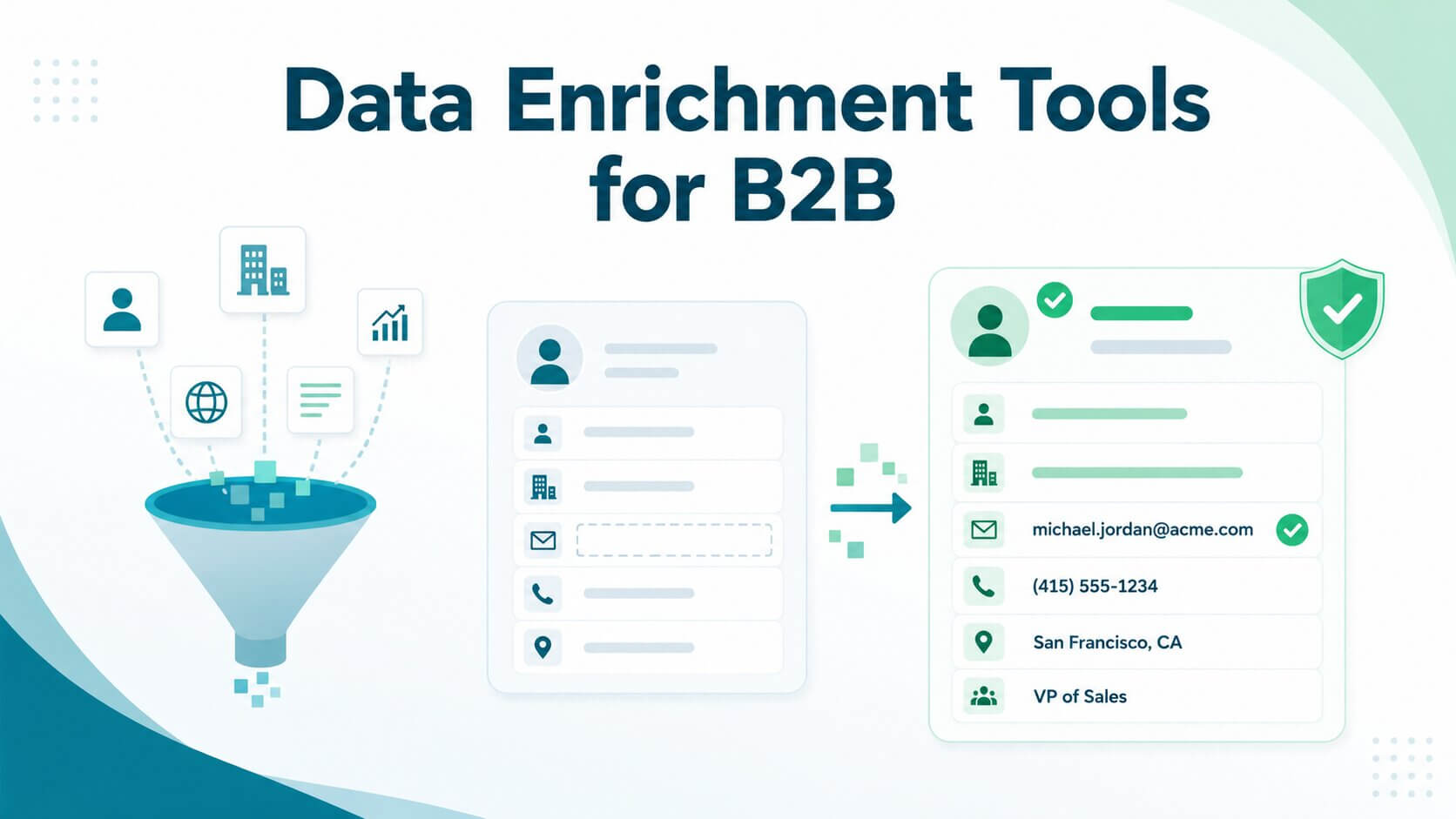
Data enrichment tools are software that adds missing, updated, or contextual information to records you already have, whether those are contacts, companies, CRM entries, or raw leads. You hand them a partial record, a name and a company, say, or just an email domain, and they return a fuller one, drawing on their own databases and third-party sources.
The fields they add fall into a familiar set: job title, company size, industry, revenue, phone number, email address, LinkedIn profile, location, the technologies a company uses, buying-intent signals, and website behavior. The goal is always the same, to turn a thin record into one your team can actually act on.
What they do not do, as a rule, is prove that the data is safe to use. That distinction runs through the rest of this guide.
What types of data can enrichment tools add?
Enrichment data is not one thing. It comes in several families, each answering a different question and each leaned on by a different team. The table below maps the main types to who uses them and the fields you typically get back.
Most tools specialize. Some are strongest on contact data, others on firmographics, technographics, or intent. Knowing which family you actually need is the first real step in choosing well, and it matters far more than any headline database number.
How are data enrichment tools different from lead enrichment tools?
Lead enrichment is a subcategory of data enrichment. It focuses specifically on improving lead records so sales and marketing can follow up: filling in the missing job title, adding the direct dial, confirming the employer, scoring the lead for routing.
Data enrichment is the broader category. It includes lead enrichment but also CRM enrichment (keeping your whole database current), company and account enrichment (building account intelligence for ABM), customer data enrichment (deepening profiles of people you already sell to), and analytics enrichment (adding context for reporting).
In everyday use the two terms blur, and you will see "lead enrichment tools" and "data enrichment tools" ranking for the same searches. The practical difference is scope: lead enrichment is about the next outreach, data enrichment is about the health of all your records.
Comparing the best data enrichment tools
The table below compares the tools that show up most often across the category, assessed on their data types, coverage, integrations, pricing model, and, the column most buying guides skip, how much email verification they actually include. Pricing is the entry point verified from each vendor as of July 2026; confirm current plans on the official pages before you buy.
Watch the Verification included column. It is where the gap this guide is about becomes visible: these tools are built to append data, not to prove an email is safe to send.
Two patterns jump out. First, almost every tool integrates with Salesforce and HubSpot, so CRM fit is rarely the deciding factor. Second, verification ranges from "none" to "basic," and even the tools that include it rarely say how they handle catch-all, unknown, or gateway-protected corporate addresses, which is exactly where B2B lists break.
What are the best data enrichment tools for different use cases?
ZoomInfo for enterprise B2B data coverage
ZoomInfo is the deep end of the category, with a database in the hundreds of millions of contacts and tens of millions of companies, plus org charts, verified phone numbers, buying-intent signals, and a website-visitor feature (WebSights) that flags companies browsing your site. It reportedly invests over $250 million a year in data collection and reconciles inputs from 60-plus vendors to hold accuracy up. All of it plugs into Salesforce and HubSpot, and all of it sits behind a quote-only annual contract that lands at the top of the market.
- Choose it if you sell into the enterprise and need breadth, hierarchy, and intent in one place.
- Look elsewhere if you are a smaller team on a monthly budget, since Apollo covers much of the same ground for far less. And on the catch-all and gateway-heavy enterprise domains ZoomInfo specializes in, a "valid" record can still bounce, which is why Allegrow runs directly inside ZoomInfo to verify contacts in real time before they reach outbound.
Apollo for sales prospecting and outbound workflows
Apollo's pitch is consolidation: a database of more than 230 million contacts across 30 million companies, 65-plus search filters, and outbound tooling (sequencing, dialer, CRM sync) in one platform, free to start and from $59/user/month. Its records are refreshed by a contributor network of over two million users plus bounce-and-reply tracking, so job changes do not linger as long as they do elsewhere. For an SMB or mid-market team that wants to prospect and send without paying for two tools, it is the default.
- Choose it if you want prospecting and outbound under one roof at moderate volume.
- Look elsewhere if you need enterprise-grade depth, or you are sending at high volume, where Apollo's bounce-tracked emails are not conclusively verified and need a check before they hit a sequence.
HubSpot Breeze Intelligence for CRM-native enrichment
If you already run HubSpot, Breeze Intelligence (the rebranded Clearbit) enriches records natively inside the CRM from an index of roughly 200 million profiles and 380 million email addresses, filling firmographics and technographics, shortening forms, and feeding lead scoring and routing. HubSpot positions it around accuracy over volume, with continuous refresh and dynamic quality scoring, and standard enrichment is now included on many paid Smart CRM seats, with additional credit packs from $45/month. The draw is that there is no second tool to manage.
- Choose it if HubSpot is your system of record and you want enrichment without adding a vendor.
- Look elsewhere if you are not on HubSpot, or you need broad net-new prospecting rather than topping up records you already hold. Enrichment here means completeness, not confirmation that an address is safe to email.
Clay for enrichment workflows and source orchestration
Clay is a control panel for other people's data. Its waterfall enrichment queries 150-plus providers in sequence, stopping at the first that returns the field you need, so coverage climbs without you subscribing to each source directly. Its AI agent (Claygent) and spreadsheet-style canvas let RevOps and growth teams automate custom research, and its Sequencer even runs personalized outreach off the enriched data, free to start and from $149/month.
- Choose it if you want to combine multiple sources and automate enrichment logic your own way.
- Look elsewhere if you want a single database out of the box, or your team has no appetite for the learning curve and stacked provider fees. Pulling from many sources of uneven quality also makes a final verification step more important, not less.
Cognism for compliant B2B data workflows
Cognism is the pick for teams selling internationally that care about compliance, best known for phone-verified mobile numbers (its Diamond Data set) and GDPR- and CCPA-aligned, DNC-checked sourcing across Europe and beyond. It layers in intent data and connects to the usual CRMs and sales engagement tools, with particular strength in EMEA coverage where US-centric databases thin out. Pricing is quote-only.
- Choose it if phone-led outbound into EMEA and documented compliance are priorities.
- Look elsewhere if you are US-only and cost-sensitive, where a monthly-priced tool serves you for less. Confirm any compliance claim against Cognism's own documentation rather than taking it at face value.
Datanyze for technographic enrichment
Datanyze earns its place when the technologies a prospect uses drive how you qualify or personalize. It tracks the tech stack behind tens of millions of websites and, crucially, shows when a company adopted each tool, which becomes a timing trigger for competitor-displacement plays and SaaS sales. A Chrome extension pulls contact and technographic data straight from LinkedIn and company sites, from $29/month.
- Choose it if technographic signal is core to your targeting.
- Look elsewhere if you need broad contact or firmographic coverage, where it is comparatively thin. A tech-stack match tells you an account fits, not that a mailbox is real.
Crunchbase for company and startup intelligence
Crunchbase is company intelligence rather than contact enrichment: funding rounds, leadership changes, and startup data, sharpened by proprietary signals like its Growth Score and Heat Score and AI-driven predictions about which companies are poised to scale. It syncs to Salesforce and HubSpot and is genuinely useful for investors, market research, and ABM targeting, from $99/month. Where it stops is the individual contact.
- Choose it if you are prioritizing which accounts to chase, especially in startups and venture.
- Look elsewhere if you need contact-level emails and phone numbers, which it does not really provide. For outbound, pair it with a contact source and a verification step, or you will have great targeting and no confirmed way in.
Lightweight email finders for small teams: Lusha, Snov.io, and Hunter
These three cover the low-cost, low-friction end: find an email, maybe a direct dial, and go. Lusha leans on a Chrome extension for on-the-spot lookups while you browse LinkedIn, with ISO 27701 and SOC 2 compliance and credit-based pricing from $37.45/user/month. Snov.io (from $39/month) bundles email finding with drip campaigns and inbox warm-up, while Hunter (from $34/month) is built around domain search and a confidence-scored email finder with a handy Google Sheets add-on. All three suit individuals, startups, and small teams that do not need a full sales-intelligence platform.
- Choose one if budget and simplicity matter more than depth or coverage.
- Look elsewhere if you need firmographics, intent, or enterprise reach. All three include basic email checks, but "found" is not "safe to send at scale," so treat them as discovery and verify before real volume.
UpLead or Findymail for verified contact-data workflows
UpLead and Findymail lead with verification rather than treating it as an afterthought. UpLead (from $99/month) runs real-time email verification against its contact database and advertises a 95%-plus accuracy guarantee, while Findymail (from $99/month) focuses on continuously cleaning and enriching CRM records through its Datacare platform, with a job-change tracker and a guaranteed bounce ceiling of 5% or less. If a clean, send-ready list matters more to you than the biggest possible database, they are the closest fit here.
- Choose one if verified contact data is the point rather than an afterthought.
- Look elsewhere if you need deep firmographics or global coverage. Even here, check how each handles the ambiguous cases, catch-all, unknown, role-based, and enterprise gateway addresses, because a tool can verify the easy 80% and still leave you guessing on the B2B contacts that matter most. That gap is what the next section is about.
How should you choose a data enrichment tool?
The tool list answers "what's popular." This section answers the harder question: which one fits how your team actually works. Start here, not with the biggest logo.
What data do you actually need to enrich?
Start with the missing fields and the use case, not the tool. Routing inbound leads needs firmographics and scoring signals; personalizing outbound needs contact detail and maybe technographics or intent; cleaning a CRM needs field completion and deduplication; building target-account lists needs company-level intelligence. Map your actual gap first, then shortlist the tools built for that data family.
A platform that is excellent at technographics is the wrong buy if what you are missing is verified contact emails. Popularity is not a substitute for fit.
How accurate and fresh is the data?
Database size is the number vendors lead with, and the least useful one. What matters is match rate (how often you actually get the field you asked for), field accuracy, refresh cadence, and source transparency. Data decays quickly as people change jobs and companies restructure, so a contact that was perfect last quarter can bounce today.
Ask how often records are refreshed and how each one is verified, and stay skeptical of unsourced 'data decays X% a year' claims, including the ones in vendor decks. Independent testing of B2B data providers found that most deliver only 50% accuracy on average, meaning roughly half the contacts in a typical purchased database are essentially unusable for outreach before decay is even factored in. That finding sits alongside research showing that 70% of CRM systems contain outdated, incomplete, or inaccurate information, which is the operational reality enrichment tools are being asked to fix.
Does the tool fit your CRM and outbound stack?
Enrichment only helps if clean fields reach the systems where your team works: HubSpot, Salesforce, Outreach, Salesloft, Close, your marketing automation platform, spreadsheets, or a direct API. If you need real-time sync rather than an overnight batch, check for a native integration, not just a Zapier bridge.
Then look past the logo to governance: field mapping, overwrite rules, deduplication, and permission controls. An enrichment tool with no overwrite control can degrade a clean CRM faster than it improves it, replacing good data with worse and creating duplicates you later have to untangle.
What does the pricing model really include?
Enrichment pricing is rarely a flat per-seat figure. Compare what actually drains budget: seats, credits, records, exports, API calls, enrichment runs, and separate email and phone credits, plus add-ons for intent or premium data. Cheap headline pricing turns expensive when match rates are low and you burn credits on misses, when you need a second tool to fill the gaps, or when low-confidence emails create bounces and manual cleanup.
Model the real cost against your actual volume, and confirm current plans on the vendor's own page rather than a roundup. Pricing in this category changes constantly.
Why should you verify emails even after using data enrichment tools?
Enrichment and verification get lumped together, but they answer different questions, and the gap between them is where outbound quietly breaks. An enrichment tool fills in an email address. It does not, as a rule, confirm that the address belongs to a real, reachable mailbox. Those are two different jobs, and skipping the second is why enriched lists still bounce.
What is the difference between data enrichment and email verification?
Data enrichment adds or updates fields: it tells you the email is jdoe@company.com. Email verification checks whether that address is actually valid, risky, or safe to send to. One completes the record; the other confirms you can use it.
The catch is that an enriched email can look perfect in the CRM and still be unusable. It might be stale (the person left), role-based (info@ or sales@, read by no one), catch-all (the domain accepts everything, so nothing is confirmed), mistyped, or sitting behind a secure email gateway that masks whether the mailbox exists. Enrichment sees a filled field and moves on. Verification is what tells you which of those you are actually looking at.
Which enriched emails create the most risk?
Not every enriched email is equally safe, and the riskiest ones are often the ones that look most complete. The table below maps the enriched results that most often burn B2B senders.
The pattern is consistent: these records pass at glance in the CRM and fail at send time. That is the whole difference between a field being full and a contact being reachable.
How does Allegrow support post-enrichment verification?
Allegrow is the quality-control layer that runs after enrichment. It takes the emails your enrichment tools appended and returns a conclusive valid or invalid result, including on the hardest B2B cases: catch-all domains and enterprise contacts behind secure email gateways, where most tools stall on "unknown." It does this with a low false-positive rate, so you are not discarding real people to look clean, and it runs at scale through a verification API built for high-volume CRM and sequencing workflows.
Once the list is verified, Allegrow's deliverability tooling protects it in production: Safety Net pre-send risk detection, spam-trap and manual-reporter screening, inbox-placement monitoring, and hourly SPF, DKIM, and DMARC checks. Verification makes the data safe to use; the deliverability layer keeps it that way as you send.
The sequence that works is simple. Enrich to fill the fields, then verify before anything enters a sequence. The enrichment tools in this guide handle the first step well; Allegrow handles the second.
What are the biggest mistakes when choosing data enrichment tools?
A bad enrichment decision rarely announces itself at purchase. It shows up months later as a bloated CRM, bounced sends, and a tool nobody trusts. These are the mistakes that get you there.
Choosing the biggest database instead of the most usable data
The instinct is to buy the tool with the most contacts. But "300 million records" tells you nothing about how many match your ICP, how many come back with the fields you actually asked for, or how fresh those fields are. A smaller, cleaner, better-matched database beats a huge stale one every time. Compare match rate, field accuracy, refresh cadence, and source transparency, and treat headline database size as marketing rather than a spec.
Treating enriched emails as ready to send
This is the costliest mistake, and the reason this guide keeps circling back to it. An enriched email is a candidate, not a confirmation. Drop unverified enriched contacts straight into a sequence and you inherit their bounces, their spam-trap hits, and the sender-reputation damage that follows, which then drags down the good contacts on the same domain. Enrichment gives you data; verification makes it safe to use, and that step costs minutes while protecting everything you send afterward.
Ignoring CRM overwrite and sync rules
Enrichment can quietly wreck a clean CRM. Without overwrite controls, a tool can replace a correct field with a worse one, spin up duplicate records, or sync stale data over something a rep just fixed. Before you turn enrichment on across your database, set field mapping, overwrite permissions, deduplication, and record ownership, and keep an audit trail. Governance is unglamorous, and it is exactly what separates enrichment that helps from enrichment that becomes a cleanup project.
Overlooking privacy and compliance requirements
Where a vendor sources its data, and how it honors opt-outs, is your exposure, not only theirs. Check data sourcing practices, opt-out handling, regional coverage, and GDPR and CCPA positioning, and confirm the tool can delete a contact's data from your CRM when someone requests it. Treat this as buyer due diligence rather than legal advice: cite the vendor's own documentation for any compliance claim, and bring in your legal team for anything consequential.
Conclusion
The best data enrichment tools do real work: they fill missing CRM fields, sharpen segmentation, help you prioritize the right accounts, and give outbound the context to feel personal. The right pick depends entirely on the job: ZoomInfo for enterprise coverage, HubSpot Breeze for CRM-native enrichment, Clay for orchestration, Datanyze for technographics, Crunchbase for company intelligence, Apollo for all-in-one prospecting, and lighter tools like Lusha or Hunter for smaller teams. Match the tool to the gap, not to the biggest database.
But there is one line every tool here shares, and it decides whether your outreach lands. Enrichment fills the email field; it does not confirm the mailbox is real. The moment your enriched records include emails you plan to send to, enrichment becomes the first step rather than the last, and unverified contacts (catch-alls, unknowns, enterprise addresses behind gateways, stale records) are what turn a clean-looking list into bounces and reputation damage.
That is where Allegrow fits, as the verification layer after enrichment. It flags the risky records, resolves catch-all and unknown into clearer valid or invalid results, and protects your outbound before you ever hit send.
Start a 14-day free trial and run 1,000 contacts from a recently enriched list through Allegrow. You will see exactly how many "complete" records are actually risky to reach out to.
Frequently asked questions about data enrichment tools
What should you verify after enriching a contact list?
Verify email validity first, then check for catch-all status, unknown results, role-based addresses (info@, sales@), domain mismatches, stale records, and contacts at enterprise domains behind secure email gateways. These often pass as "complete" in a CRM but still bounce. Allegrow is built for this post-enrichment check, returning conclusive B2B verification on exactly those hard cases.
What is the difference between data enrichment and email verification?
Data enrichment adds or updates data fields; email verification confirms whether an address is valid, risky, or safe to send. Enrichment tells you an email exists in the record; verification tells you the mailbox is real and reachable. Enriched emails can still be stale, catch-all, or gateway-protected, which is why verification is a separate, necessary step.
Do you need to verify emails from data enrichment tools?
Yes, if you send outbound. Enrichment appends an email but rarely confirms the mailbox exists, and unverified enriched contacts cause bounces, spam-trap hits, and sender-reputation damage, especially on catch-all and enterprise domains. Verifying before sequencing protects deliverability and keeps risky records out of your campaigns.
Which data enrichment tool is best for B2B teams?
ZoomInfo for broad enterprise data, Apollo for prospecting, HubSpot Breeze for CRM-native enrichment, Clay for orchestration, Cognism for compliant international data, and Datanyze for technographics. Whichever you choose, teams sending outbound should verify the enriched emails before they use them.