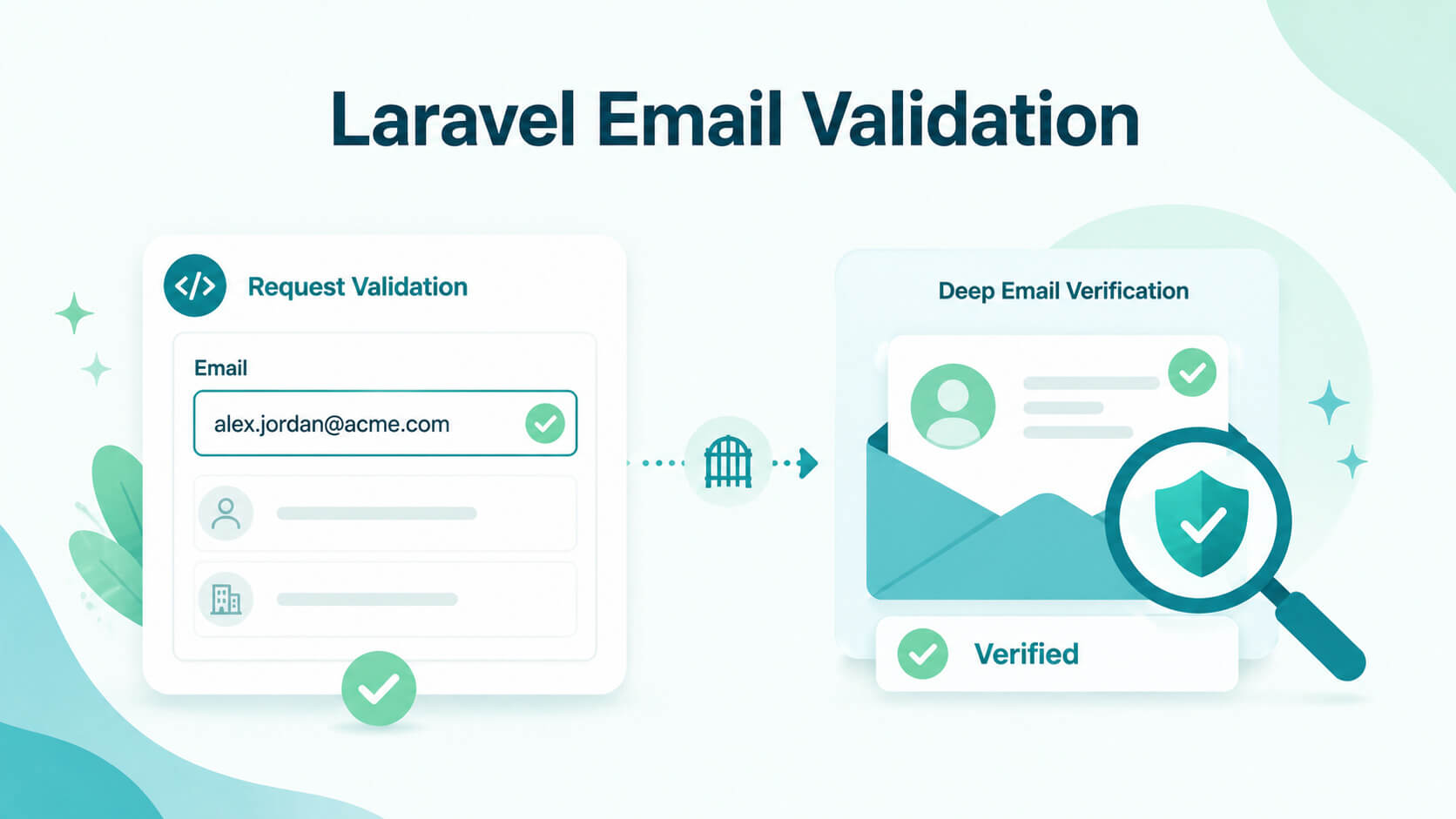
Developers working with Laravel rarely struggle to add email validation. The real challenge is knowing whether the validation you’ve implemented is actually doing the job you think it is. You want to stop bad input at the door, reduce junk data in your database, and avoid issues later when those emails are used in product workflows or outbound campaigns.
Laravel provides several built-in ways to validate email addresses, from simple rules to stricter variants like rfc, dns, and spoof. But those options solve only part of the problem. This guide walks through how Laravel email validation works in practice, how to choose the right rule, when to use Form Requests or custom logic, and where native validation is no longer enough. It also covers when external verification becomes necessary, especially in B2B workflows where email quality directly affects revenue.
TL;DR: When PHP developers implement Laravel email validation, they often mistakenly assume that native rules like email:rfc or email:dns guarantee real-world deliverability. In reality, Laravel's validation engine (powered by the egulias/email-validator package) strictly enforces schema-level formatting; it ensures a string is structurally sound and that a domain possesses an MX record, but it completely ignores whether the specific inbox actually exists. While utilizing Form Requests and the Rule::email() builder is sufficient for basic B2C contact forms, this native layer becomes a dangerous operational bottleneck in B2B applications where revenue depends on data quality. To prevent invalid corporate addresses and ambiguous catch-all domains from polluting your database and destroying your sender reputation, developers must layer a specialized out-of-band verification API like Allegrow directly into their data ingestion layer, effectively proving that a structurally valid string actually routes to a live, active corporate inbox before it is ever saved to the database.
What is Laravel email validation?
Laravel email validation is the process of checking email input at the request level using Laravel’s validation system. It ensures that submitted email addresses meet defined rules before your application processes or stores them.
In practical terms, it sits between user input and your database. It prevents malformed or clearly invalid email addresses from entering your system, but it does not guarantee that an email is real, reachable, or useful.
If your broader content already covers the difference between email validation and verification, link to that instead of expanding here. This article focuses on Laravel implementation. For context on why this matters at scale: according to JetBrains' State of PHP 2024 survey, 61% of PHP developers report using Laravel regularly — making it the most widely adopted PHP framework and the environment where email validation decisions have the broadest downstream impact.
What does Laravel’s native email rule actually check?
Laravel’s email validation is built on top of its validation rule system, which allows developers to apply predefined or custom rules to incoming requests.
The native email rule checks whether the input string follows a valid email format based on the selected validation logic. Depending on how you configure it, this can include RFC compliance, domain checks, or spoof detection.
What it does not do is confirm whether the inbox exists, whether it is monitored, or whether it is safe to use for communication. It answers a narrower question: “Does this input look like a valid email according to the chosen rules?”
How do you validate emails in Laravel?
As documented in Laravel's official validation reference, the email rule uses the egulias/email-validator package under the hood, with RFC validation applied by default. Laravel provides multiple ways to implement email validation, depending on how structured or reusable your code needs to be.
In practice, this means you can validate an email directly inside a controller for quick use cases, wrap the logic in a Form Request for cleaner and reusable architecture, or build a custom validator when you need more control over how and when rules are applied. Each approach still relies on Laravel’s validation engine, but it changes how tightly validation is coupled to your application flow.
How do you validate an email with $request->validate()?
The simplest approach is to validate directly inside your controller using $request->validate(). This is the most common starting point in Laravel because it keeps everything in one place and requires minimal setup. It works best when the validation rules are straightforward and not reused elsewhere in the application.
public function store(Request $request)
{
$validated = $request->validate([
'email' => 'required|email',
]);
// Continue processing
}
This method automatically handles validation failure by redirecting back with errors in web applications or returning a structured error response in APIs. It is ideal for small forms, prototypes, or simple registration flows where keeping the logic lightweight matters more than reusability.
How do you validate an email with a Form Request?
When validation logic becomes more complex or needs to be reused across multiple controllers, Form Requests become the preferred approach. Instead of placing validation inside controllers, you define a dedicated class that centralises all rules and related logic.
public function rules()
{
return [
'email' => 'required|email',
];
}
This structure improves maintainability because validation is no longer tied to a specific controller method. It also makes it easier to extend rules over time without cluttering business logic. In larger applications, Form Requests help keep controllers focused on handling requests rather than managing validation details.
When should you use the Validator facade directly?
The Validator facade gives you the most flexibility because you can manually construct and control the validation process. This is useful when validation does not naturally fit into the request lifecycle or when you need to validate data outside of HTTP controllers.
$validator = Validator::make($data, [
'email' => 'required|email',
]);
if ($validator->fails()) {
return response()->json($validator->errors(), 422);
}
This approach is commonly used in background jobs, service classes, or custom workflows where data is being processed programmatically rather than coming directly from a user request. It gives you full control over when validation runs and how failures are handled, which is important in more complex application architectures.
How do validation errors differ in web forms vs JSON APIs?
Laravel handles validation errors differently depending on the context. In traditional web forms, failed validation triggers a redirect back to the previous page with an error bag and old input. This is designed for server-rendered applications.
In JSON APIs, Laravel returns a 422 Unprocessable Entity response with structured error messages. This makes it easier for frontend frameworks or external clients to handle validation failures programmatically.
Which Laravel email rule should you use?
Choosing the right Laravel email rule is less about memorising every available option and more about understanding the level of risk in your data flow. A simple contact form does not need the same level of scrutiny as a B2B signup pipeline feeding a sales CRM. The key is matching validation strictness to business impact.
Laravel gives you flexible options, but they all sit on a spectrum. On one end you have lightweight format validation, and on the other you have layered checks like RFC compliance, DNS verification, and spoof detection. The goal is to apply just enough validation to protect your data quality without slowing down your application unnecessarily.
When is the basic email rule enough?
The default email rule is sufficient for low-risk scenarios where the main objective is to confirm that the input is structurally valid.
This typically includes basic registration forms, newsletter signups, or simple contact forms where the email is used for lightweight communication rather than critical workflows. In these cases, the cost of occasional invalid or inactive addresses is relatively low compared to the need for speed and simplicity.
At this level, over-engineering validation can actually work against you. Adding too many constraints can increase false rejections, complicate debugging, and introduce unnecessary friction in user onboarding flows.
When should you use email:rfc, email:strict, email:dns, or email:spoof?
As your application becomes more dependent on email quality, Laravel allows you to progressively strengthen validation rules instead of relying on a single generic check. This lets you move from basic format validation to more layered protection depending on the risk of bad data in your workflow. A common setup looks like this:
'email' => 'required|email:rfc,dns'
Each modifier adds a different type of verification. Rather than just tightening formatting, you are progressively checking structure, domain validity, and potential security risks. This makes the validation more aligned with real-world email reliability concerns, especially in production systems where data quality matters beyond just syntax correctness.
What do rfc and strict change?
The rfc option enforces compliance with formal email formatting standards defined by RFC specifications. It reduces ambiguity in how email addresses are interpreted and helps ensure consistency across systems.
The strict option goes a step further by applying tighter constraints to those standards. This can help eliminate edge cases and malformed inputs, but it may also reject less common yet technically valid email formats.
In most real-world applications, rfc tends to strike the best balance between accuracy and usability. It improves validation quality without introducing unnecessary friction for legitimate users.
What does dns actually tell you?
The dns option verifies whether the email’s domain has valid DNS records, usually MX records that indicate mail handling capability.
This is useful for filtering out obviously invalid or fabricated domains, which often appear in spam or low-quality signups. However, it is important to understand its limits. DNS validation only confirms that the domain is configured to receive email, not that a specific mailbox exists or is actively monitored.
A domain can still pass DNS validation while being a catch-all server or hosting inactive mailboxes. As highlighted in external validation research, domain-level checks improve signal quality but cannot guarantee deliverability or inbox engagement because they do not evaluate mailbox-level behaviour or responsiveness.
When is spoof worth using?
The spoof option is designed to detect visually deceptive email addresses that use Unicode characters to impersonate legitimate domains. This includes cases where characters look similar to standard Latin letters but are technically different, making them harder to spot at a glance.
To use this feature, the PHP intl extension must be enabled. It is particularly relevant for applications exposed to higher security risks, such as financial platforms, enterprise software, or systems handling sensitive user data.
In most standard web applications, spoof detection is optional. But in high-trust environments, it adds an important layer of protection against phishing-style input.
Should you use string rules or Rule::email()?
Laravel supports both string-based validation rules and the more expressive Rule::email() builder. While both approaches achieve the same outcome, they differ in readability and long-term maintainability.
The builder pattern is generally preferred in modern Laravel applications because it makes validation logic more explicit and easier to extend over time. Instead of parsing long rule strings, developers can clearly see each validation layer being applied.
use Illuminate\Validation\Rule;
'email' => [
'required',
Rule::email()->rfcCompliant()->validateMxRecord(),
]
This structure also reduces ambiguity when multiple developers are working on the same codebase, as each rule is clearly separated and self-descriptive.
Which Rule::email() builder methods matter most?
Laravel’s email validation builder exposes several methods, but only a few are commonly used in real-world applications.
The most important ones include rfcCompliant() for enforcing standard formatting rules, strict() for tighter validation constraints, and validateMxRecord() for checking whether the domain can receive email. Together, these form the core of most production-grade validation setups.
For security-focused applications, preventSpoofing() adds protection against Unicode-based impersonation attempts. Meanwhile, withNativeValidation() allows you to rely on PHP’s internal email validation filter when you want a more minimal baseline.
These methods align directly with Laravel’s official validation design and give developers a flexible way to tune email validation without leaving the framework’s ecosystem.
When do you need custom Laravel email validation?
Built-in Laravel rules cover most standard email validation scenarios, but real-world applications often introduce business logic that goes beyond format, DNS, or spoof checks. This is where custom validation becomes useful.
In practice, custom rules are not about replacing Laravel’s validation system, but extending it with context-specific logic that reflects how your business actually uses email data. Instead of asking “is this a valid email format?”, you start asking “is this email appropriate for our system?”
When should you create a custom rule object?
Custom rule objects are the right choice when validation depends on internal business policies rather than general email standards.
For example, you might restrict signups to specific company domains in a B2B SaaS product, block known disposable email providers, or enforce internal compliance rules around acceptable contact sources. These are decisions Laravel cannot make out of the box because they depend entirely on your data strategy.
Laravel’s rule object pattern allows you to isolate this logic in a reusable and testable structure rather than scattering conditions across controllers or services, such as:
php artisan make:rule CustomEmailRule
Once created, this rule can be applied consistently across multiple forms, APIs, or onboarding flows, ensuring that your validation logic stays aligned as your application grows. Laravel's official documentation covers the full custom rule object pattern, including how to use implicit rules for cases where validation should fire even on empty fields — a detail that matters when email is an optional field in certain form flows.
What native Laravel email validation does not catch
Laravel validation is designed to answer whether an email is syntactically valid and optionally whether its domain exists. It does not determine whether the email is deliverable, active, or worth storing for future use.
For example, native validation does not reliably detect catch-all domains, where servers accept all incoming emails regardless of validity. It also does not identify disposable email services, inactive inboxes, or role-based addresses that may not be useful in B2B workflows.
Studies from email validation providers show that a significant percentage of invalid or risky emails pass basic syntax checks, which is why relying solely on format validation can lead to higher bounce rates and lower data quality.
This is not a limitation of Laravel itself. It reflects the boundary between input validation and deeper email verification, which operates at the infrastructure and behavior level.
When should you add external email verification in a Laravel app?
Deciding when to introduce external email verification is less about Laravel itself and more about the cost of bad data in your workflow. Native validation is designed to ensure correctness of input, not guarantee long-term email quality.
The right approach is to treat external verification as an additional layer that activates only when email accuracy directly impacts business outcomes, such as deliverability, sales performance, or CRM hygiene.
When is native Laravel validation enough on its own?
For many applications, Laravel’s built-in validation is more than sufficient. If you are handling low-risk use cases such as basic user accounts, password resets, or non-critical notifications, combining format validation with optional DNS checks usually provides a strong baseline. In these scenarios, the primary goal is to prevent obvious mistakes and ensure the email field is structurally sound.
Adding external verification in these cases can introduce unnecessary complexity, increase processing time, and add cost without delivering meaningful improvements in outcomes. The key principle is proportionality: if the email does not directly affect revenue, deliverability performance, or downstream automation, native validation is typically enough to maintain data quality at the application level.
When do B2B signup flows need more than native rules?
The situation changes in B2B environments where email quality directly affects revenue. Lead capture forms, free trial signups, outbound prospecting, and CRM enrichment workflows all depend on accurate email data. In these cases, the cost of bad data is not just a bounce, it is wasted sales effort and lost opportunities.
This is where deeper verification becomes relevant. Allegrow is designed specifically for these scenarios. Instead of stopping at syntax or DNS checks, it combines multiple layers of validation, including SMTP and MX validation alongside proprietary signals.
This allows it to go beyond “unknown” results and provide conclusive “valid” or “invalid” statuses, even for catch-all domains. It also identifies spam traps, inactive inboxes, and non-primary aliases, which are common sources of hidden risk in B2B datasets.
For teams operating at scale, Allegrow’s API supports high-volume verification with customizable methods and infrastructure designed to handle hundreds of millions of requests. This makes it suitable for data providers and GTM teams who need consistent accuracy across large datasets.
Conclusion
Laravel gives developers a strong foundation for email validation, with flexible options ranging from simple format checks to stricter rules like RFC compliance and DNS validation.
The key is understanding what problem you are solving. Native Laravel validation is ideal for filtering out clearly invalid input and maintaining clean request-level data. It should almost always be your first layer.
However, when the goal shifts from “valid format” to “high-quality contact data,” especially in B2B workflows, native validation alone is not enough. That is where external verification becomes a practical addition rather than a replacement.
If you are building a Laravel application that depends on high-quality B2B email data, it is worth testing how far native validation gets you before gaps start to appear. Start a 14-day free trial with Allegrow to verify up to 1,000 emails, including catch-all domains, and see how deeper verification impacts your data quality in practice.
Frequently asked questions about Laravel email validation
Does Laravel email validation verify that an inbox exists?
No, Laravel email validation only checks format and optional rule compliance, not whether a mailbox actually exists. An email can pass validation even if it is inactive, deleted, or never created. It ensures input correctness, not real-world deliverability.
Should you use regex for email validation in Laravel?
Regex can be useful for very specific patterns, but it is generally safer to rely on Laravel’s built-in email rules. These are maintained and aligned with established standards, reducing the risk of edge-case errors.
Does email:dns guarantee deliverability?
No, the email:dns rule only checks that the domain has valid DNS records, usually MX records. It confirms the domain can receive email, but not whether a specific inbox exists or will accept messages. Deliverability is not guaranteed.
What is the difference between email and Rule::email()?
The difference is primarily in syntax and flexibility. The email string rule is simpler, while Rule::email() provides a builder-style interface that improves readability and allows for more granular configuration.