Search for “email monitoring” and you will quickly notice a problem: the term means very different things depending on who is searching. A sales leader may be looking for ways to monitor sender reputation and improve inbox placement, while an operations manager may be researching employee email monitoring tools.
The same phrase can also refer to AI tools that monitor and organize your inbox, or sales and marketing features that track email opens and clicks. These are four separate categories with different goals, users, and software solutions.
In this guide, we will break down each meaning of email monitoring so you can identify which type applies to your situation. For B2B senders, the most important area is usually deliverability monitoring: understanding whether your emails are authenticated, trusted, and reaching the inbox instead of being filtered into spam.
TL;DR: Email monitoring covers four distinct activities, and the right tool depends on which of them you actually need. Deliverability and sender-health monitoring tracks SPF, DKIM and DMARC, reputation, blacklists, inbox placement and bounce or complaint rates, and it matters most for B2B senders (Gmail and Yahoo now require spam complaints under 0.3%). Employee email monitoring watches workplace usage for productivity, security and compliance, and is generally legal but bound by privacy and consent rules. AI email assistants monitor your inbox to summarize, prioritize and draft, with clients, assistants and agents offering rising levels of automation. Open and click tracking measures campaign engagement, though opens are now unreliable thanks to Apple MPP, security scanners and image blocking, so lean on clicks and replies. Match the type to the goal: inbox placement, workplace security, inbox overload, or campaign engagement. And remember monitoring only surfaces problems; it cannot fix the root cause. Sending to invalid or risky contacts is what erodes reputation, so verification and monitoring solve different halves of the same problem.
What is email monitoring?
Email monitoring is the ongoing process of watching specific email-related signals to identify problems, measure performance, or improve an outcome. The exact signals being monitored depend on what someone is trying to achieve.
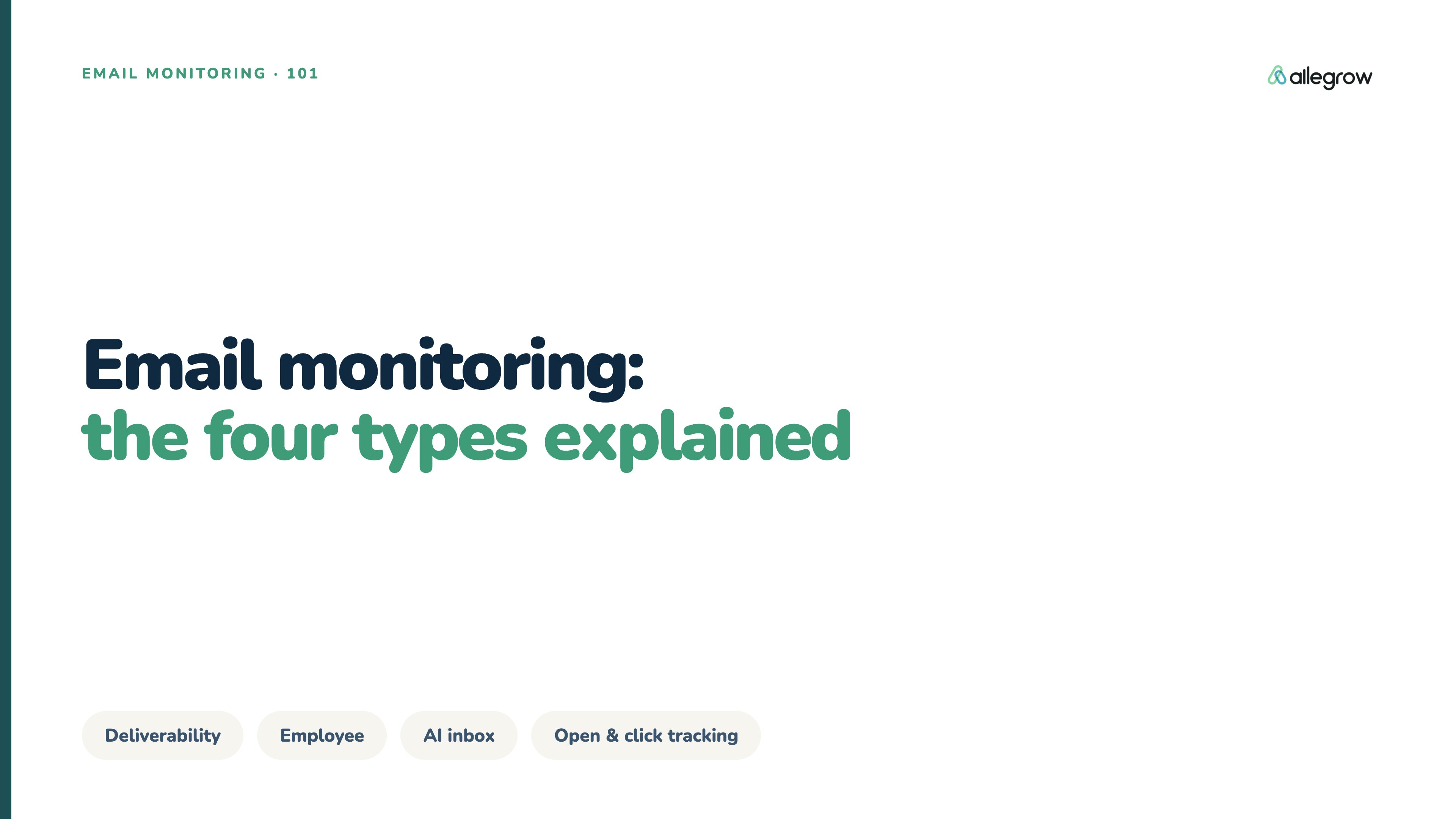
The reason the term covers so many different activities is that email plays several roles at once. It is a technical infrastructure layer, a communication channel, a security risk surface, and a productivity workspace. Because of this, “monitoring” can apply to everything from server reputation to employee behavior. The four main types of email monitoring are:
- Email deliverability monitoring: Tracking sender health, authentication, reputation, blacklists, and inbox placement to ensure emails reach recipients.
- Employee email monitoring: Monitoring workplace email usage for security, productivity, and compliance purposes.
- AI email assistants and inbox monitoring: Using artificial intelligence to organize, summarize, and respond to emails.
- Email open and click tracking: Measuring recipient engagement with sent emails.
While each category has value, they solve very different problems. The rest of this guide explains how each category works and how to choose the right type of monitoring for your needs.
Type 1: Deliverability and sender health monitoring
For B2B teams sending high volumes of email, deliverability monitoring is one of the most important types of email monitoring. A successful send does not always mean an email reaches the inbox. Messages can still be filtered into spam based on factors like authentication, sender reputation, sending behavior, and recipient engagement.
Think of deliverability like a credit score. Consistent sending practices and strong authentication build trust with inbox providers, while poor data quality, complaints, and suspicious activity can damage reputation over time. The sections below cover the key signals deliverability monitoring tracks and how teams can monitor them effectively.
What does email deliverability monitoring track?
Email deliverability monitoring tracks the signals that determine whether emails reach the inbox, spam folder, or get rejected. It covers the full sending process, from SMTP servers and mail transfer agents to the receiving provider’s filtering decisions.
Key areas include email authentication monitoring, which checks SPF, DKIM, and DMARC records to ensure emails are properly authorized and protected. These settings can break when teams add new sending tools, rotate keys, or change infrastructure, so ongoing monitoring helps catch issues early.
It also tracks sender reputation, blacklist status, inbox placement, and engagement signals. Domain and IP reputation can decline due to high bounce rates, spam complaints, or sudden sending changes, while blacklist monitoring helps identify whether a sender has been flagged by services such as Spamhaus or Barracuda.
Inbox placement testing shows whether emails reach the inbox or spam folder, while bounce and complaint rates help measure sender health. Gmail and Yahoo now require bulk senders to maintain spam complaint rates below 0.3%, making these metrics increasingly important.
The consequences of neglecting these signals show up fastest at scale: GlockApps found that senders pushing more than one million emails a month saw average inbox placement fall from 49.98% in Q1 2024 to 27.63% in Q1 2025, a drop of over 22 percentage points, as providers tightened engagement-based filtering. Rates at that tier have since partially recovered, which is the point: placement moves sharply in both directions, and continuous monitoring is what tells a high-volume program which way it is heading before the trend sets in.
How to monitor email deliverability
Effective deliverability monitoring combines DNS checks, provider reporting tools, blacklist databases, and inbox placement tests. Authentication should be monitored continuously, while reputation, bounce rates, and complaint trends should be reviewed regularly.
Tools like Google Postmaster Tools and Microsoft SNDS provide provider-level insights, though both have access limits worth knowing: Postmaster Tools only reflects mail sent to personal Gmail accounts and needs consistent daily volume before it shows data, and SNDS is IP-based and requires authorization from the IP owner, so teams on shared ESP infrastructure or sending mainly to corporate inboxes may see limited coverage. Platforms like Allegrow help teams understand deliverability risks alongside contact quality.
This is why accurate B2B email verification is an important part of deliverability. Allegrow combines syntax checks, SMTP and MX validation, and proprietary signals to provide conclusive Valid or Invalid results, including for catch-all domains where many tools return uncertain statuses.
By improving contact accuracy before sending, teams create a stronger foundation for protecting sender reputation and improving inbox placement.
Type 2: Employee email monitoring
Employee email monitoring focuses on how people use workplace email rather than whether marketing emails reach the inbox. Companies typically use these tools for productivity insights, security protection, and maintaining communication standards.
Unlike deliverability monitoring, which focuses on the relationship between a sender and receiving providers, employee monitoring focuses on internal communication patterns and business processes.
Why do companies monitor employee email?
Companies monitor employee email for three main reasons: productivity, security, and communication quality. Email activity patterns can help identify overloaded teams, inefficient processes, or areas where employees may need additional training and support.
Security is another major factor. Email remains a common entry point for phishing attacks, impersonation attempts, and accidental data exposure. The scale of that risk is what makes monitoring a security priority: the Cybersecurity and Infrastructure Security Agency (CISA) reports that more than 90% of successful cyberattacks begin with a phishing email, making the inbox the single most common entry point for a breach. Monitoring tools can help security teams identify unusual behavior, suspicious forwarding rules, or potential risks involving sensitive information.
For customer-facing teams, email monitoring can also help maintain communication standards. Slow response times or inconsistent messaging can affect customer relationships, so businesses may use monitoring insights to improve internal processes.
These tools are usually cloud-based and connect with workplace email systems such as Microsoft 365, Google Workspace, Outlook, or Gmail. Common examples include productivity tools like Hubstaff, workplace analytics platforms such as Microsoft Viva, Microsoft 365 reporting features, and email security solutions like INKY.
Is employee email monitoring legal?
Whether employee email monitoring is legal depends on the country, the type of information collected, and how the monitoring program is introduced. In general, businesses may monitor workplace email for legitimate reasons, but they cannot assume unlimited access to employee communications.
A key consideration is privacy. Monitoring should be transparent, clearly explained to employees, and limited to information that supports a valid business purpose. Companies also need to be careful when collecting personal data unrelated to work activity, as privacy laws may restrict how this information is handled.
Regulations vary by location. Some US states have specific employee monitoring requirements, while frameworks such as GDPR introduce additional obligations around personal data collection and consent.
The financial stakes on the security side help explain why organizations take this seriously despite the compliance complexity: the FBI's Internet Crime Complaint Center reported $2.77 billion in Business Email Compromise losses across 21,442 complaints in 2024 alone, the kind of attack employee email monitoring is often deployed to catch.
The best approach is to create a clear monitoring policy, explain what is being collected and why, and seek legal guidance based on the relevant jurisdiction.
Type 3: AI email assistants and inbox monitoring
AI email monitoring focuses on helping individuals manage the information inside their inbox. Instead of monitoring technical sending signals or employee activity, these tools monitor incoming messages to help users prioritize, summarize, and respond more efficiently.
For professionals managing hundreds of emails each week, the problem is rarely sending an email. The challenge is deciding what deserves attention, what requires a response, and what can wait.
What can an AI email assistant do?
AI email assistants use artificial intelligence to help users manage incoming messages more efficiently. Depending on the tool, they can summarize conversations, draft replies, prioritize important emails, organize threads, and automate certain tasks.
Many of these tools use large language models (LLMs) to understand context and generate human-like responses. They may also use semantic search to find emails based on meaning rather than exact keywords, sentiment analysis to identify urgent conversations, and retrieval-augmented generation (RAG) to create responses using connected company data such as documents or previous emails.
However, AI email tools also come with important considerations. Companies should review how providers handle email data, whether information is used to train models, how long data is stored, and whether security standards such as SOC 2 are supported. Accuracy and integration quality also matter, as poorly configured tools can create generic responses or add another disconnected system to manage.
AI email client vs. assistant vs. agent
AI email client, assistant, and agent are often used interchangeably, but they describe different levels of automation. An AI email client replaces your inbox application and adds productivity features that help you manage messages faster. You still control every action, but the experience is optimized with AI features. Examples include Superhuman and Shortwave.
An AI email assistant works inside your existing inbox to suggest replies, summarize conversations, and highlight important messages while keeping the user in control. Examples include Microsoft Copilot and Google Gemini.
An AI email agent takes automation further by acting independently across connected tools. Instead of only suggesting actions, agents can complete tasks such as updating records, scheduling actions, or responding based on predefined rules.
Platforms like Gmelius combine inbox management, automation, and AI capabilities that move toward assistant and agent-style workflows. The main difference comes down to control: clients help you work faster, assistants help you decide faster, and agents increasingly act on your behalf.
Type 4: Email open and click tracking
Email open and click tracking is the type of email monitoring most commonly associated with sales and marketing campaigns. Instead of monitoring the sender’s infrastructure, these tools measure how recipients interact with individual emails.
Sales teams often use this data to understand engagement patterns. For example, a salesperson may use click activity to decide whether someone has shown interest before following up. However, engagement tracking has limitations that are important to understand before relying on the data too heavily.
How does email open and click tracking work?
Email open tracking typically works by adding a small invisible image, often called a tracking pixel, to an email. When the recipient’s email client downloads images, the tracking pixel loads and records an open event.
Click tracking works differently. Instead of sending recipients directly to a destination link, email platforms replace the original URL with a tracking link. When someone clicks, they are first redirected through the tracking system before reaching the final webpage.
These features are commonly built into CRM and sales engagement platforms, including tools such as HubSpot. They allow sales and marketing teams to measure engagement and decide when to follow up.
It is also useful to separate tracking from logging. Tracking measures recipient behavior, such as whether someone opened or clicked an email. Logging simply records a copy of the email communication inside a CRM or customer record.
Is email open tracking accurate?
Email open tracking can provide useful engagement signals, but it is no longer a precise measure of recipient behavior. Several factors can create inaccurate results, including preview panes loading tracking pixels, security systems scanning emails, and recipients blocking images.
Privacy features have also reduced reliability. Apple Mail Privacy Protection loads email content through proxy servers, which can inflate open data without confirming whether someone actually viewed the message.
The distortion is substantial. Litmus, which tracks email client market share across more than a billion measured opens, put Apple Mail at 49.29% of all email opens in January 2025, rising to 51.52% by February 2026. Because MPP pre-loads tracking pixels on delivery rather than when someone reads the message, a large share of recorded opens on any list with meaningful Apple Mail presence reflects Apple's servers rather than a human.
Other issues can make results difficult to interpret. Multiple opens may come from forwarding, automated scanning, or preview behavior rather than repeated reading, while privacy settings can prevent accurate attribution.
For these reasons, open rates should be treated as directional signals rather than definitive proof of interest. Metrics like clicks, replies, conversions, and actual conversations usually provide stronger engagement insights.
Companies should also consider privacy requirements. Depending on the region and tracking method, email engagement tracking may require a lawful basis under regulations such as GDPR.
Which type of email monitoring do you need?
The right type of email monitoring depends on the problem you are trying to solve. If you want to improve inbox placement, choose email deliverability monitoring, which tracks authentication, sender reputation, blacklist status, inbox placement, and engagement signals.
For managing workplace email activity and security, employee email monitoring provides visibility into communication patterns and potential risks. However, if you want to reduce inbox workload, an AI email assistant can help organize, summarize, and automate email tasks.
If your goal is measuring recipient engagement, email open and click tracking helps you understand how people interact with your campaigns.
For B2B senders, deliverability monitoring often works best when combined with strong email data quality practices. Monitoring can show that sender reputation is declining, but it cannot fix the root cause if campaigns are repeatedly sent to invalid or risky addresses.
The root cause usually traces back to the list itself: independent testing of B2B data providers found that most deliver only around 50% accuracy on average, and 70% of CRM systems contain outdated, incomplete, or inaccurate records. Monitoring surfaces the symptom, but it cannot repair a contact database that was unreliable before the first send.
This is why verification and monitoring solve different parts of the same problem. Deliverability monitoring tells you whether your sending reputation is healthy. Email verification helps ensure you are sending to real, usable B2B contacts in the first place.
Conclusion
Email monitoring is not one single category of software. The term covers four different activities: deliverability monitoring, employee email monitoring, AI inbox assistants, and email engagement tracking.
Each serves a different purpose. A company trying to improve inbox placement needs different tools from a company trying to manage employee productivity or automate personal email workflows.
For B2B senders, the most important distinction is understanding that successful delivery is not the same as reaching the inbox. Authentication, sender reputation, blacklist status, and contact quality all influence whether emails achieve their intended outcome.
The strongest email programs combine visibility with prevention. Monitoring helps identify problems, while accurate verification helps prevent many deliverability issues from happening in the first place.
For the B2B senders this guide is really written for, that prevention starts with the list itself, because monitoring can only flag a reputation problem after risky contacts have already caused it. Verifying contacts before they reach a campaign is the highest-leverage way to protect the sender reputation everything else depends on. Start a 14-day free trial of Allegrow to verify your own B2B list and surface the invalid, catch-all, and risky addresses that quietly damage it. If you also want a read on where your mail is landing today, you can request a deliverability audit alongside the trial.
FAQs
What are the types of email monitoring?
The four main types are deliverability monitoring, employee email monitoring, AI email assistants, and email open and click tracking. Deliverability monitoring focuses on inbox placement and sender health, employee monitoring covers workplace email usage and security, AI tools improve inbox management, and tracking measures recipient engagement.
What is the difference between email monitoring and email tracking?
Email tracking usually refers to measuring opens and clicks on individual emails. Email monitoring, on the other hand, is broader and includes sender reputation, authentication, inbox placement, employee activity, and AI-powered inbox management. For B2B senders, it often means monitoring overall sending health.
How do I monitor email deliverability?
To monitor email deliverability, track authentication records such as SPF, DKIM, and DMARC, monitor sender reputation, check blacklist status, test inbox placement, and review bounce and complaint rates. Tools like Google Postmaster Tools, Microsoft SNDS, blacklist databases, and seed-list testing can also help identify issues.
What is the difference between an AI email client, assistant, and agent?
An AI email client replaces your inbox and improves how you manage messages. An AI email assistant, on the other hand, works inside your inbox to suggest replies, summarize conversations, and prioritize emails. An AI email agent, however, can take actions independently across connected systems.
Is open tracking reliable?
Open tracking is useful but no longer completely reliable. That is because false opens from preview panes, security scanners, image blocking, and privacy features, such as Apple Mail Privacy Protection, can distort results. Open data should be treated as a directional engagement signal rather than a precise measurement of recipient interest.
Why does my email go to spam even when it sends successfully?
Successful sending only means the receiving server accepted the message. It does not guarantee inbox placement. Emails can still go to spam because of authentication problems, weak sender reputation, blacklist placement, high complaint rates, or poor contact quality. Deliverability monitoring helps identify these issues, while email verification helps prevent many reputation problems by ensuring campaigns are built on accurate contact data.